Odysseus AI Ollama Setup: Connect Local Models Without Guesswork
A practical setup guide for pointing Odysseus AI at an existing Ollama server, with separate Docker and native paths, endpoint checks, and fixes for the errors people hit first.

In this guide
Odysseus AI is a self-hosted workspace, while Ollama is a local model server. They work well together, but the connection is easy to misread because Docker changes what localhost means. This guide keeps the goal narrow: make Odysseus AI see models already served by Ollama, then verify the connection before you debug anything higher up the stack.
Use the endpoint that matches where Odysseus AI runs
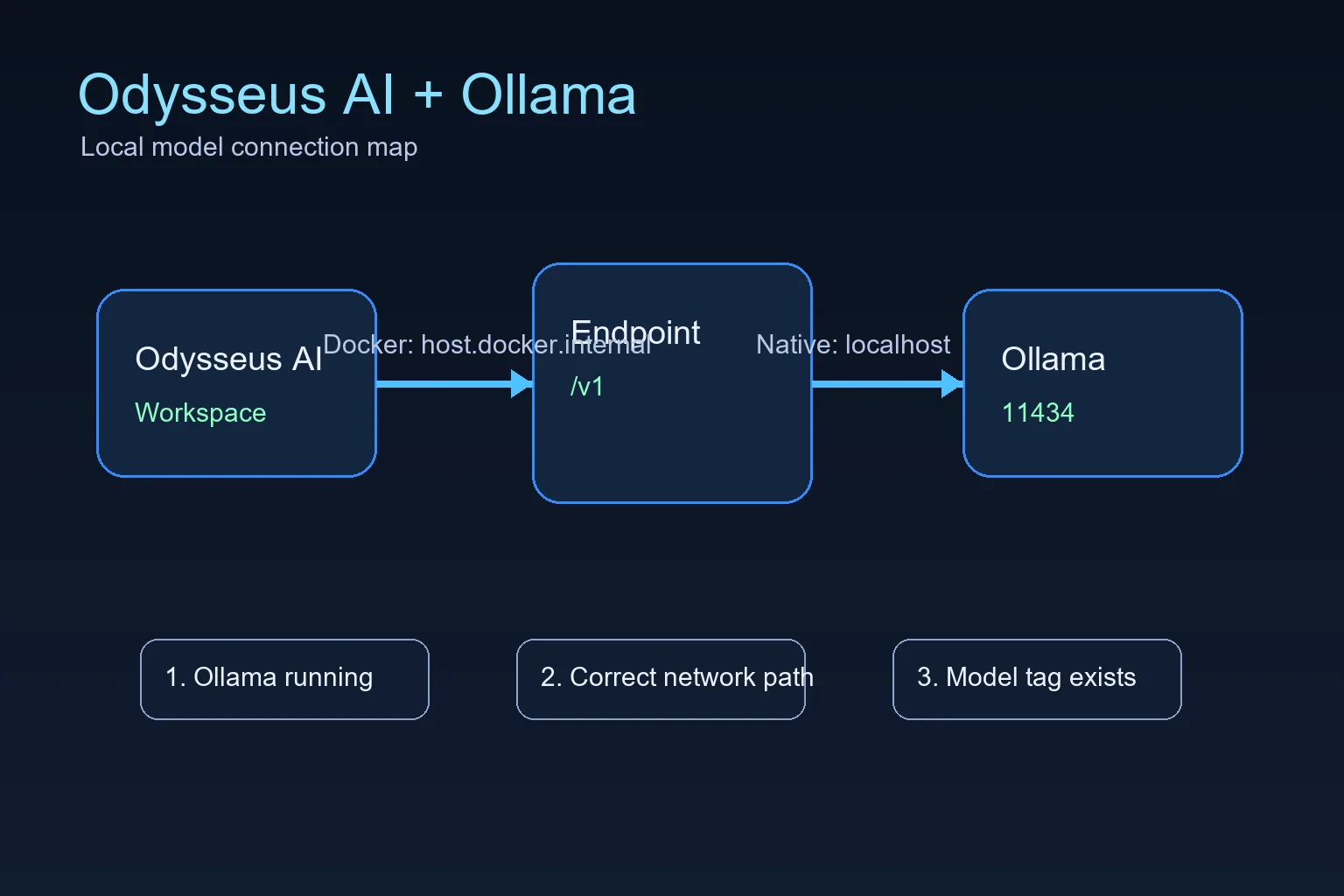
The official Odysseus README calls out a Docker-specific Ollama endpoint: when Ollama runs on the host and Odysseus runs in a container, add the host endpoint in Settings. That endpoint is not a magic model name; it is the network address that lets a container reach a service running on the host.
For Docker installs, the practical default is host.docker.internal on port 11434 with the OpenAI-compatible /v1 path. For native installs where Odysseus AI and Ollama run on the same operating system session, start with localhost or 127.0.0.1 instead. Choose one path first, then test it directly before changing model settings.
Treat “install Ollama” and “connect Odysseus AI to Ollama” as two separate checks. First confirm the Ollama service answers on port 11434 and has at least one model available. Then enter the reachable endpoint from the same runtime layer as Odysseus AI; do not copy a localhost URL across Docker, WSL2, and the host without testing it.
Docker to host Ollama endpoint
http://host.docker.internal:11434/v1Docker setup: Odysseus container to host Ollama
This is the highest-value setup because many people follow the recommended Docker path for Odysseus AI but already have Ollama installed on the host. In that layout, localhost inside the container points back to the container, not to your laptop or workstation.
The connection has three parts: Ollama must be running, it must listen on an address the container can reach, and Odysseus AI must store the correct endpoint in Settings.
1. Start Ollama so it listens beyond its own loopback when needed
If Docker cannot reach Ollama, start Ollama with an explicit host binding. Keep this binding limited to trusted local use unless you understand your network exposure.
OLLAMA_HOST=0.0.0.0:11434 ollama serve2. Confirm Ollama has at least one model
Odysseus AI can connect to the endpoint and still show no useful model if Ollama has not pulled anything yet. Pull a small model first if you are only testing the connection.
ollama list
ollama pull llama3.2:3b
3. Put the Docker endpoint in Odysseus AI Settings
Use the OpenAI-compatible base URL in the model or service settings area. Do not use localhost for this Docker-to-host layout unless your Docker platform has been configured differently.
http://host.docker.internal:11434/v14. Check container health before debugging prompts
If the Odysseus service is degraded, fix that first. A model endpoint cannot repair a broken container startup, missing environment file, or unhealthy dependency.
docker compose ps
docker compose logs --tail=120 odysseus
Native setup: Windows, Linux, and macOS endpoint choices
When Odysseus AI and Ollama both run natively on the same machine, you usually do not need host.docker.internal. You are no longer crossing from a container into the host, so localhost normally means the machine you expect.
Platform-specific launch scripts can still change ports for the Odysseus web app itself, but the Ollama API is normally on 11434 unless you changed OLLAMA_HOST.
| Setup | Endpoint to try first | What to watch |
|---|---|---|
| Windows native Odysseus + Windows Ollama | http://127.0.0.1:11434/v1 | Use localhost when both services run natively on the same Windows machine. |
| Linux native Odysseus + Ollama | http://127.0.0.1:11434/v1 | Check service permissions if either process runs as a background service. |
| macOS or Apple Silicon native path | http://127.0.0.1:11434/v1 | The Odysseus UI port can differ, but Ollama usually remains on 11434. |
| Odysseus in Docker + host Ollama | http://host.docker.internal:11434/v1 | Use the Docker host name because container localhost is not the host machine. |
Troubleshooting Odysseus AI and Ollama connection errors
Work from the network layer upward. First prove Ollama answers locally, then prove Docker can reach it, then adjust Odysseus model settings. Randomly changing model names or ports usually makes the problem harder to isolate.
| Symptom | Likely cause | Fix |
|---|---|---|
| Connection refused | Ollama is not running or is listening only where Odysseus cannot reach it. | Start Ollama, confirm port 11434, and use an explicit OLLAMA_HOST binding for Docker-to-host testing. |
| Host browser works but Docker fails | The endpoint uses localhost inside the container. | Switch the endpoint to http://host.docker.internal:11434/v1. |
| No model appears | No model has been pulled or the model tag is wrong. | Run ollama list, pull a small model, and select the exact tag. |
| Slow first response | The model is loading or too large for the machine. | Test a smaller model before agents, tools, or documents. |
| Unexpected LAN exposure | A service was bound to all interfaces without a trust boundary. | Return to localhost-only binding unless firewall, VPN, and auth are intentional. |
Final verification checklist before you trust the setup
A working setup should pass these checks in order. Stop at the first failure and fix that layer instead of jumping ahead.
- Ollama responds on the host and ollama list shows a model.
- The Odysseus service is healthy in Docker or native logs.
- The endpoint matches the runtime layout.
- A small prompt works before larger agents or document workflows.
- Any LAN exposure is authenticated and intentional.
Keep the first setup local
Connecting Odysseus AI to Ollama does not require publishing either service to the public internet. Keep both local until authentication, firewall rules, and reverse proxy behavior are deliberate.
2026 verification notes before changing the endpoint
Before you edit Odysseus AI settings, verify the runtime boundary. The same Ollama server can require a different base URL depending on whether Odysseus runs natively, in Docker, or on another host.
Use the checks below to avoid the most common false fix: changing model names when the real issue is that the app cannot reach port 11434 from its own network namespace.
| Check | Good result | What to do if it fails |
|---|---|---|
| Host Ollama API | The host can reach http://127.0.0.1:11434 before Odysseus is involved. | Start Ollama, pull a small model, and test the API outside Odysseus first. |
| Docker-to-host route | A containerized Odysseus setup uses host.docker.internal:11434/v1. | Do not use localhost from inside the container unless Ollama also runs in that container network. |
| Native route | A native Odysseus setup uses 127.0.0.1:11434/v1 when Ollama is on the same machine. | Remove Docker-specific hostnames from native settings and test with a small prompt. |
- Keep Ollama local while testing unless you intentionally configured firewall and authentication rules.
- Confirm the selected model tag exists in ollama list before troubleshooting Odysseus prompts.
- Record which endpoint worked so future Docker or native migrations do not inherit the wrong URL.
Odysseus AI Ollama FAQ
Sources and official references
- Official Odysseus AI GitHub repository - Docker, Windows, Apple Silicon, and Ollama endpoint guidance.
- Ollama API documentation - Local model server API behavior.
- Docker Desktop networking documentation - host.docker.internal host networking behavior.
Related Odysseus AI setup paths
- Local AI agent dashboard comparison - Compare Odysseus AI with other local dashboard choices before committing to a setup path.
- Odysseus AI Windows setup - Use this Windows guide for WSL2, Docker Desktop, Ollama endpoints, ports, and firewall checks.
- Odysseus AI macOS setup - Compare native Mac and Docker endpoint choices before connecting Ollama.
- PewDiePie AI / Odysseus AI explained - Understand what the workspace is before installing or exposing it.
- Official Odysseus README - Check current upstream setup commands and provider notes.
- How to use Odysseus AI - Move from setup to a safe first task and daily workflow.
2026-07-11
Back to the Odysseus AI Wiki