Odysseus AI MCP Setup: Servers, OAuth, and Troubleshooting
A practical guide to registering built-in or remote MCP servers in an Odysseus workspace while keeping administrator access, OAuth redirects, tools, and network boundaries clear.

In this guide
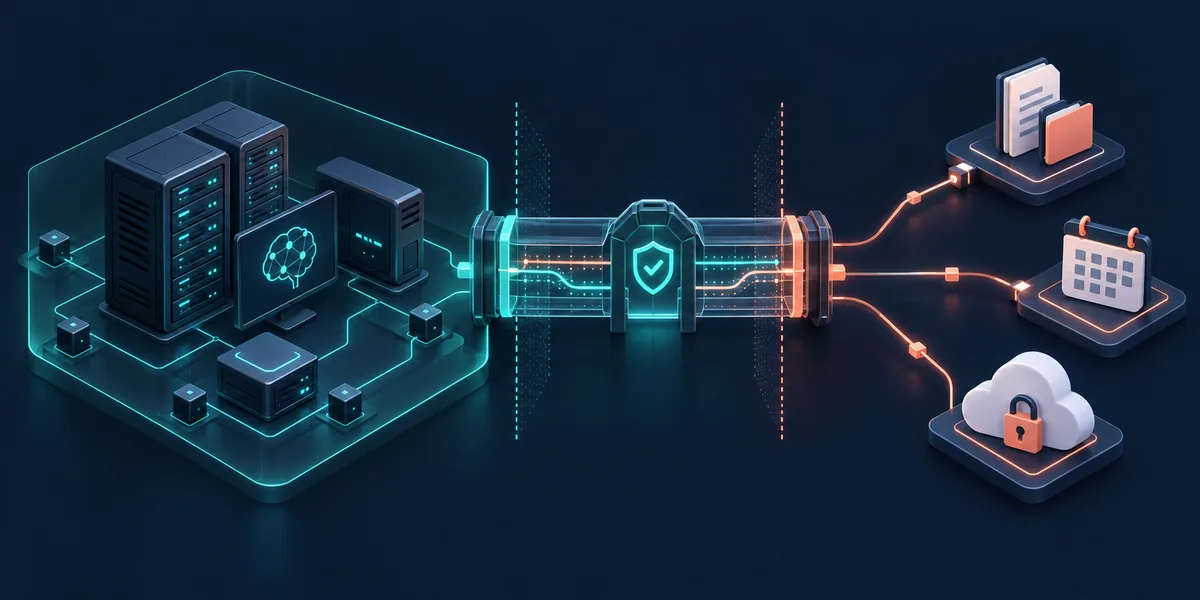
Odysseus AI MCP can describe several connected pieces. Odysseus is the self-hosted workspace and host context, an MCP server is a separate process or remote service that exposes tools, and OAuth plus network policy decide what that service can reach. This guide keeps those layers separate and gives you a small, reversible path from registration to one verified tool call.
What MCP means inside an Odysseus workspace
Model Context Protocol (MCP) lets an AI application discover and call tools exposed by a server. A server can provide read-only documents, calendar lookup, search, or an action such as creating a task. The server defines the tool schema; the host decides when to connect, which tools to show, and whether a person must approve a call.
Do not treat the model, the workspace, and the MCP process as one trust zone. A local model may still send a query through a remote tool provider. Identify the host, registered server, exposed tools, and destination of each result before adding credentials or private files.
Keep the layers visible
Odysseus supplies the workspace and management surface. MCP supplies the tool contract. The server and provider define data, files, and network behavior.
Before setup: authentication, admin access, and network boundaries
Odysseus documents MCP management and API-token administration in the admin area. Use an authorized account and confirm that the server process loaded the same environment settings as the web interface. A working browser session does not prove that the runtime can reach an MCP endpoint.
Keep authentication enabled while testing. For Docker deployments, OAuth callbacks and service names must resolve from the container network. Prepare one server, one read-only tool, a non-sensitive workspace, and an expected result so the change can be removed without guessing what else it affected.
| Check | What it proves | Safe default |
|---|---|---|
| Admin permission | MCP entries can be edited | Use a named admin account |
| Auth enabled | Management is not public | Keep login required |
| Runtime reachability | The process can reach the server | Test from the same container |
| Credential scope | The token grants only what is needed | Start read-only and rotate |
Review built-in MCP servers and the npx cache
A built-in entry is a registration shortcut, not a health guarantee. The command must exist in the same image or container, start with the intended arguments, and reach its runtime dependencies. Some examples resolve an npx package from a local cache, so review the approved package and version before relying on it.
Start with discovery. Read startup output and confirm that Odysseus can list tool names and schemas without executing a tool. On an isolated host, use an approved cache or a local command instead of retrying a registry lookup that cannot succeed.
-
Choose a low-risk entry
Use a test resource or read-only list; avoid shell and broad file access.
-
Check the runtime
Run the command from the Odysseus image and redact stderr.
-
List tools first
Review names, schemas, and capabilities before approving a call.
npx -y @playwright/mcp@latest --helpdocker compose logs --tail=120 odysseusAdd a remote MCP server with OAuth
Remote OAuth adds an identity exchange to the transport and tool handshake. Odysseus starts authorization, the user grants scopes, and the provider redirects the browser to the registered callback. A localhost callback inside a container cannot serve an external browser.
The Odysseus setup guide documents OAUTH_REDIRECT_BASE_URL for remote MCP servers. Set it at the deployment boundary, keep the scheme and path stable, and restart the service that reads the environment. A successful callback proves identity only; list tools, review the token scope, and run one harmless read before enabling writes.
OAuth success is one checkpoint
Continue with reachability, scope review, tool discovery, and a bounded read before calling the integration ready.
-
Confirm the callback
Record the provider's exact HTTPS path and scopes.
-
Set OAUTH_REDIRECT_BASE_URL
Add it to the deployment environment and restart the owning process.
-
Limit the first call
Choose a read-only tool and compare the response with its schema.
OAUTH_REDIRECT_BASE_URL=https://mcp.example.com/oauth/callbackUse a repeatable test path for health and tools
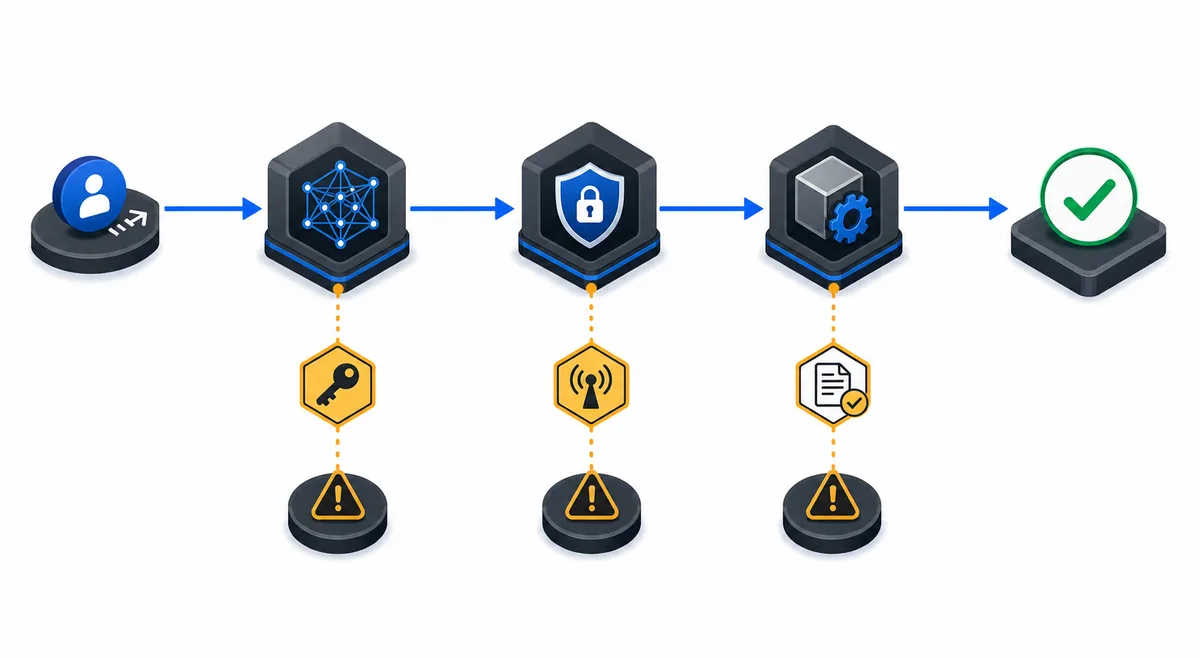
Run the same sequence for every Odysseus AI MCP change: check workspace health, check the server process, list tools and schemas, then make one call with a known input. This separates inference, transport, permission, and provider failures instead of reporting one generic connection error.
Record the server and tool name, argument shape, status, duration, and a safe request identifier. Remove tokens, authorization headers, private documents, and complete prompts. Use a fixture, test calendar, or harmless endpoint so the test is reversible.
-
Check workspace health
Fix Odysseus startup or dependency errors first.
-
List schemas
Confirm names, required arguments, and read or write capabilities.
-
Run one bounded read
Compare the result with the documented schema and record only safe evidence.
| Stage | Pass signal | If it fails |
|---|---|---|
| Workspace | Odysseus and admin load | Inspect logs and auth |
| Process | The command stays running | Run it directly and read stderr |
| Handshake | Tools and schemas appear | Check transport and version |
| Read call | The result matches | Check scope and arguments |
Fix unreachable servers, permissions, and stale registrations
Start at the failed layer. A process that exits points to its command, package, directory, or environment. A running process with no tools points to transport or handshake. A visible tool that fails points to arguments, OAuth scope, quota, or its upstream endpoint. A model that ignores a working tool may also have a host or tool-calling problem.
Container networking causes many false failures. Test the endpoint from the Odysseus runtime, check certificates and outbound policy, and use the correct service name or host gateway. After changing a command, callback, or variable, restart the owner process and remove duplicate registrations. Revoke old grants and rotate a credential if it appeared in logs or terminal history.
| Symptom | Likely layer | Next check |
|---|---|---|
| Command exits | Runtime or package | Run it directly and inspect stderr |
| No tools listed | Transport or handshake | Check endpoint and protocol version |
| OAuth error | Callback or scope | Compare public URL, HTTPS, and scopes |
| Remote timeout | DNS, firewall, or container | Test from the Odysseus runtime |
| Old behavior | Stale registration | Restart, remove duplicates, and recheck logs |
Apply a practical token and network checklist
The safest MCP configuration is the smallest one that solves the task. Allow only needed folders, domains, and actions; prefer read-only tools; require visible approval for writes; and plan credential rotation. A local process can still forward prompts, search terms, or file excerpts to an external provider.
Keep authentication and HTTPS, restrict admin access, and keep raw model and service ports private. Store secrets in the environment or a secret manager, mask them in logs, and document who owns each server and how to revoke it. Test the revoke path before the integration becomes urgent.
A local host does not guarantee local data
Verify the provider, retention policy, and network path before sending private information through an MCP server.
- Use a test account or workspace for the first connection.
- Review commands and package versions.
- Grant the smallest directory, domain, and tool scope.
- Mask tokens, private documents, and complete prompts in logs.
- Document deletion and rotation after accidental exposure.
Odysseus AI MCP FAQ
Official references
- Odysseus AI repository - README and project links for the self-hosted workspace
- Odysseus setup guide - MCP management, built-in servers, OAuth redirect, and deployment boundaries
- Model Context Protocol architecture - Official host, client, and server concepts
Related local AI guides
- Ollama MCP server architecture - Separate local inference, MCP tools, approvals, and external search.
- Odysseus AI Ollama setup - Verify the model provider and runtime network first.
- Odysseus AI Docker setup - Review container health, ports, and private services.
- How to use Odysseus AI - Move from a verified installation to a controlled first task.
Last updated October 8, 2026
Back to the Odysseus AI Wiki