Ollama MCP Server: Connect Tools, Web Search, and Local Models
A practical architecture and setup guide for connecting an Ollama-powered local model to Model Context Protocol tools without hiding permissions, network calls, or failure states.

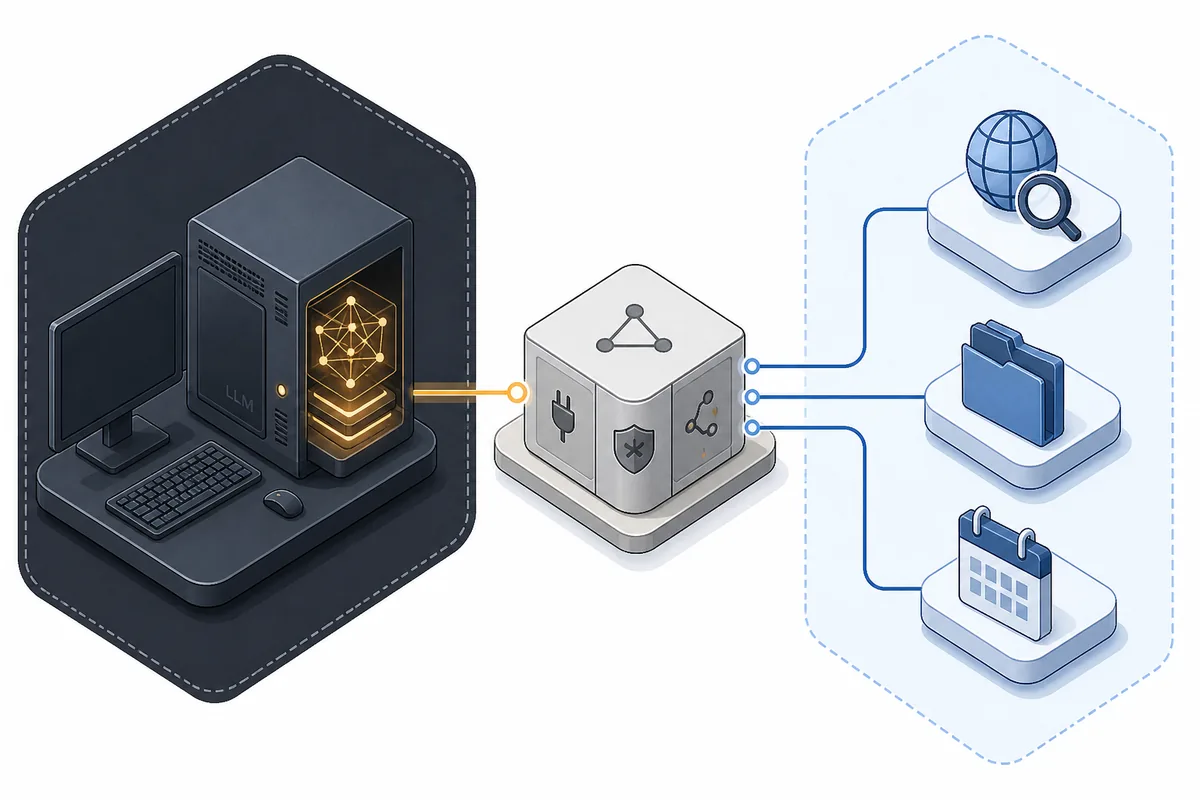
In this guide
- What an Ollama MCP server setup actually means
- Understand the host, client, server, and model boundary
- Prepare Ollama and an MCP-capable host
- Connect a local Ollama model safely
- Add a web-search MCP server without hard-coding secrets
- Make tool calls observable and reviewable
- Troubleshoot the connection in the right order
- Ollama Web Search API vs MCP Web Search
- Ollama MCP server FAQ
An Ollama MCP server workflow connects a local model to useful actions without pretending that the model, the protocol, and the tool provider are the same thing. The model may run on your machine through Ollama, while an MCP host manages one or more client connections to servers that expose tools. This guide focuses on that boundary: how to connect the pieces, where web search fits, and how to keep approval, credentials, and network behavior visible.
What an Ollama MCP server setup actually means
MCP, or Model Context Protocol, is a standard way for an AI application to discover and call tools exposed by a server. A tool might search the web, read a permitted directory, query a database, or perform an action. Ollama is the model runtime in this picture: it loads a model and generates responses, but it is not automatically an MCP host just because the model is local.
That distinction explains why searches for ollama mcp server often describe several different architectures. Some people mean a local MCP server that talks to Ollama. Others mean an MCP host that uses an Ollama model and connects to a web-search server. Both can be valid, but the host is the component that normally owns server discovery, user approval, tool execution, and result injection.
Keep the layers separate
Ollama supplies inference. MCP supplies a tool protocol. The host or application decides when a tool is called, what arguments are allowed, and whether the result is trusted enough to include in the answer.
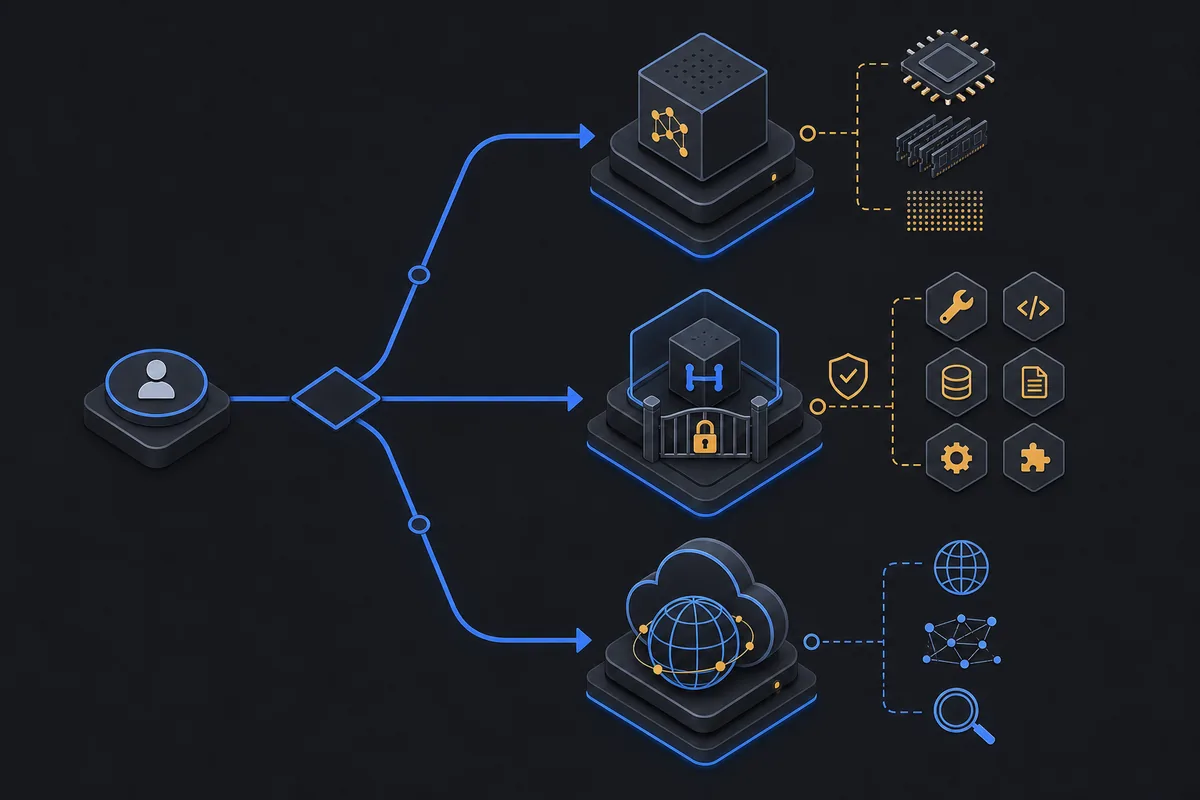
Understand the host, client, server, and model boundary
A typical MCP architecture has four moving parts. The host is the user-facing AI application. It creates an MCP client connection for each server. The MCP server advertises tools and resources, then executes an approved request. Ollama sits beside that chain as the local model endpoint that the host uses for inference or tool-selection decisions.
The model does not receive a magic tunnel to every tool. The host first presents the available tool schemas, the model may request a tool call, and the host validates and executes it. The result then returns to the host, which decides how much of it should be sent back to the model. This control flow matters for privacy, prompt injection, cost, and debugging.
| Layer | Owns | Does not automatically own |
|---|---|---|
| Ollama | Local model loading and inference endpoint | MCP server discovery or universal permissions |
| MCP host | Conversation, client sessions, approvals, and context assembly | The internal implementation of every server |
| MCP client | A protocol connection between one host and one server | A model runtime by itself |
| MCP server | Tool schemas, validation, and tool-side execution | Permission to bypass the host's approval policy |
Prepare Ollama and an MCP-capable host
Start with a model that is already usable through Ollama. Confirm that the daemon is running, the model is installed, and the local API responds before adding MCP. If the model cannot answer a plain prompt, an MCP layer will only make the diagnosis harder.
Next choose an application that explicitly supports MCP clients. Its configuration format may use a JSON file, a settings screen, a desktop profile, or an SDK. Do not copy a configuration block from an unrelated host: the server command, environment variable names, transport, and approval defaults are host-specific.
Local does not mean private by default
The model request can stay on localhost while a tool server sends a query to a third-party API. Treat each tool's network path as a separate data-flow decision.
ollama listollama run <model-name> "Reply with the word ready."curl http://127.0.0.1:11434/api/tagsConnect a local Ollama model safely
There are two checks to make before calling a tool. First, verify that the host can reach the Ollama endpoint it is configured to use. A desktop host may use localhost directly; a containerized host may need host.docker.internal or a service name; a remote host needs an explicitly secured route. Second, verify that the model or API path supports tool calling in the way the host expects.
Ollama's API can accept tool definitions and return tool calls, but that API feature is not identical to implementing the complete MCP protocol. An MCP-capable host usually translates between the model's tool-call message and the MCP client's list-tools or call-tool messages. If a host documents a separate Ollama provider setting and an MCP server setting, configure both and test them independently.
curl http://127.0.0.1:11434/api/chat -H "Content-Type: application/json" -d "{\"model\":\"<model-name>\",\"messages\":[{\"role\":\"user\",\"content\":\"Find the current status of this project.\"}],\"tools\":[{\"type\":\"function\",\"function\":{\"name\":\"search\",\"description\":\"Search approved sources\",\"parameters\":{\"type\":\"object\",\"properties\":{\"query\":{\"type\":\"string\"}}}}}]}"Add a web-search MCP server without hard-coding secrets
A web-search MCP server is a tool provider, not a guarantee that every answer is current or correct. Depending on the implementation, the server may call a search API, a browser, a metasearch instance, or a hosted provider. Read its documentation for the transport, package name, supported environment variables, and data retention before adding it to a production host.
Most hosts use a configuration shape similar to the example below, but the exact key names vary. Treat this as a pattern rather than a copy-and-paste install command. Keep API keys in the host's secret store or environment, restrict the server's allowed tools, and start with a read-only search action.
A local MCP process may still call the internet
Running the server on your machine controls where the process starts, not where its search requests end. Document the external provider and redact secrets or private prompts before sending them.
-
Confirm the source
Use the MCP server's official repository or documentation. Check its license, release activity, required Node or Python version, and whether it supports the transport your host expects.
-
Start with the smallest permission set
Expose search or fetch only. Do not grant filesystem writes, shell execution, or broad private-network access just because the host can display the tool.
-
Run a controlled query
Use a harmless test query, capture the returned URLs, and verify that the host shows the tool name and arguments before trusting the answer.
{ "mcpServers": { "web-search": { "command": "npx", "args": ["-y", "<maintained-web-search-mcp-package>"], "env": { "SEARCH_API_KEY": "${SEARCH_API_KEY}" } } } }Make tool calls observable and reviewable
A reliable Ollama MCP server workflow leaves an audit trail that is useful without logging sensitive content. Record the server name, tool name, start time, duration, outcome, error class, and source domains. Redact API keys, authorization headers, private file contents, and user secrets. For search, preserve the final URLs and a short result count so a reviewer can see what evidence the model received.
The host should also make approval visible. A model-generated argument is untrusted input. Validate URLs, file paths, query length, domain allowlists, timeouts, and maximum result counts before execution. Treat fetched web pages as untrusted text because page content can contain prompt-injection instructions that conflict with the user's request.
| Observe | Why it helps | Safe default |
|---|---|---|
| Tool name and server | Shows which capability actually ran | Allowlist known names |
| Arguments | Makes hidden model behavior reviewable | Redact secrets and cap size |
| Duration and status | Separates timeout from bad content | Use bounded timeouts and retries |
| Sources or result IDs | Lets a human verify the evidence | Keep URLs, not private payloads |
Troubleshoot the connection in the right order
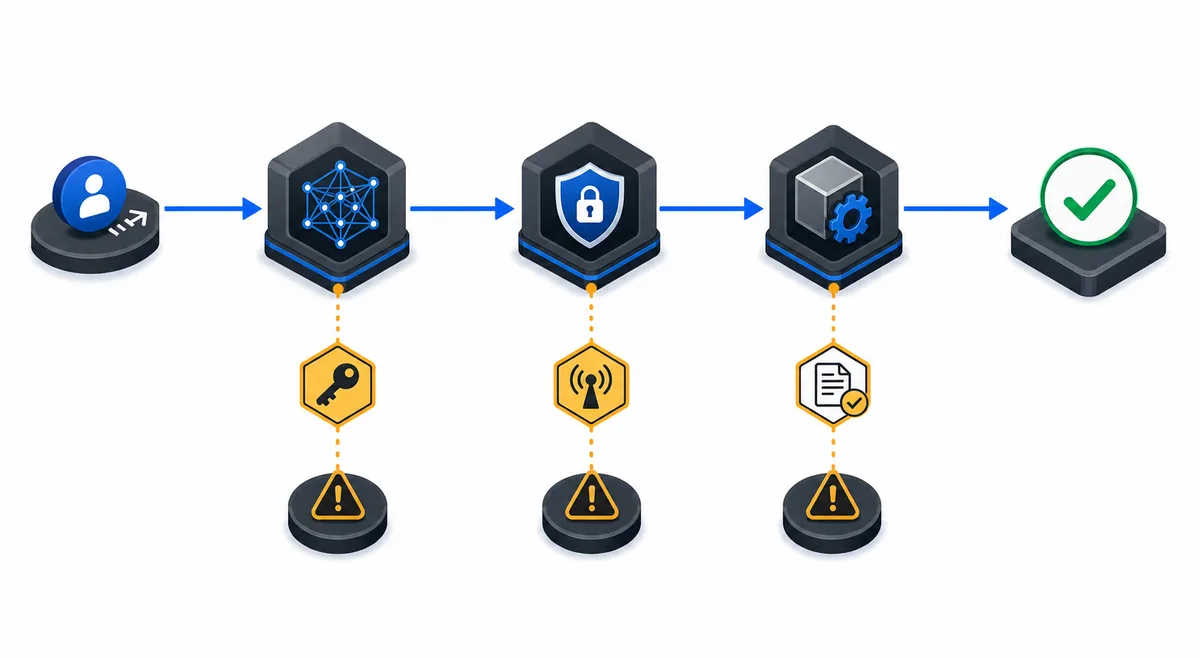
Test one layer at a time. First call Ollama without MCP. Then ask the host to list MCP tools without executing one. Then run one low-risk tool call. This sequence prevents a model, transport, permission, and provider failure from collapsing into one vague message such as the tool is not working.
When the model answers from memory instead of calling a tool, inspect the host's tool list and the model's tool-calling support before rewriting the prompt. When a tool runs but the answer is poor, inspect the raw result, source quality, context truncation, and prompt-injection handling. Do not solve a network or permission error by silently granting broader access.
| Symptom | Likely layer | Next check |
|---|---|---|
| Ollama connection refused | Local runtime or endpoint | Run `ollama list`, check the host URL, and test port 11434 locally |
| MCP server never starts | Command, runtime, or environment | Run the server command outside the host and inspect stderr |
| Tools are not listed | Transport or host configuration | Check the host's MCP transport and server config schema |
| Model ignores a tool | Model capability or prompt loop | Confirm tool-calling support and inspect the raw assistant message |
| Search returns nothing | Provider, query, or rate limit | Check credentials, provider status, query text, and result payload |
| Answer follows page instructions | Untrusted fetched content | Treat page text as data and enforce source and tool policies |
Ollama Web Search API vs MCP Web Search
The phrase Ollama web search can describe two different paths. Ollama's official Web Search API is a hosted service with its own credentials, limits, privacy boundary, and application loop. A web-search MCP server is a tool exposed through an MCP host; it may be local, self-hosted, or backed by another provider. Both can give a local model current information, but they are not interchangeable configuration steps.
Use the existing Ollama Web Search guide when your question is about the official hosted API, API keys, web_fetch, account limits, or choosing SearXNG. Use this page when the question is about MCP hosts, tool schemas, server permissions, local client connections, or a web-search tool that is one capability among several.
| Question | Ollama Web Search API | MCP web-search server |
|---|---|---|
| Primary owner | Ollama hosted service | The selected MCP server and provider |
| Integration layer | Application calls the documented API | MCP host creates a client and calls tools |
| Best fit | Supported hosted search path | Composable tools and self-hosted control |
| Main caution | Query and account data leave the local runtime | Server code and tool results need independent review |
Ollama MCP server FAQ
Official references
- Ollama tool calling documentation - Official tool definitions and tool-call message flow for Ollama APIs
- Model Context Protocol architecture - Official host, client, server, and transport concepts
- Model Context Protocol specification - Official protocol behavior and tool interaction reference
- Ollama API introduction - Official local API boundary and endpoint documentation
Related local AI guides
- Ollama Web Search API guide - Hosted search API, privacy, limits, and SearXNG boundary.
- Odysseus AI Ollama setup - Verify the local Ollama runtime and endpoint before adding tools.
- Cursor and Ollama coding agent - Editor-specific local model and permission workflow.
- OpenCode Ollama setup - A separate local agent/client configuration example.
- Local AI coding agent guide - Broader local agent architecture, repository boundaries, and approvals.
Last updated August 16, 2026
Back to homepage