Cursor AI Agent with Local Ollama: A Safe VS Code and Odysseus AI Workflow
A practical guide for developers who want local model assistance in Cursor or VS Code without giving a coding agent too much repository or terminal power too early.

In this guide
Searches for a Cursor AI agent with local Ollama usually come from developers who want the convenience of editor-native AI assistance without sending an entire repository to a hosted model. The intent is more specific than a general local AI coding agent page: the reader is deciding how an editor, a local model server, and a self-hosted workspace should fit together before the assistant can read files, propose patches, or run commands.
The safest pattern is editor first, local model second, workspace around both
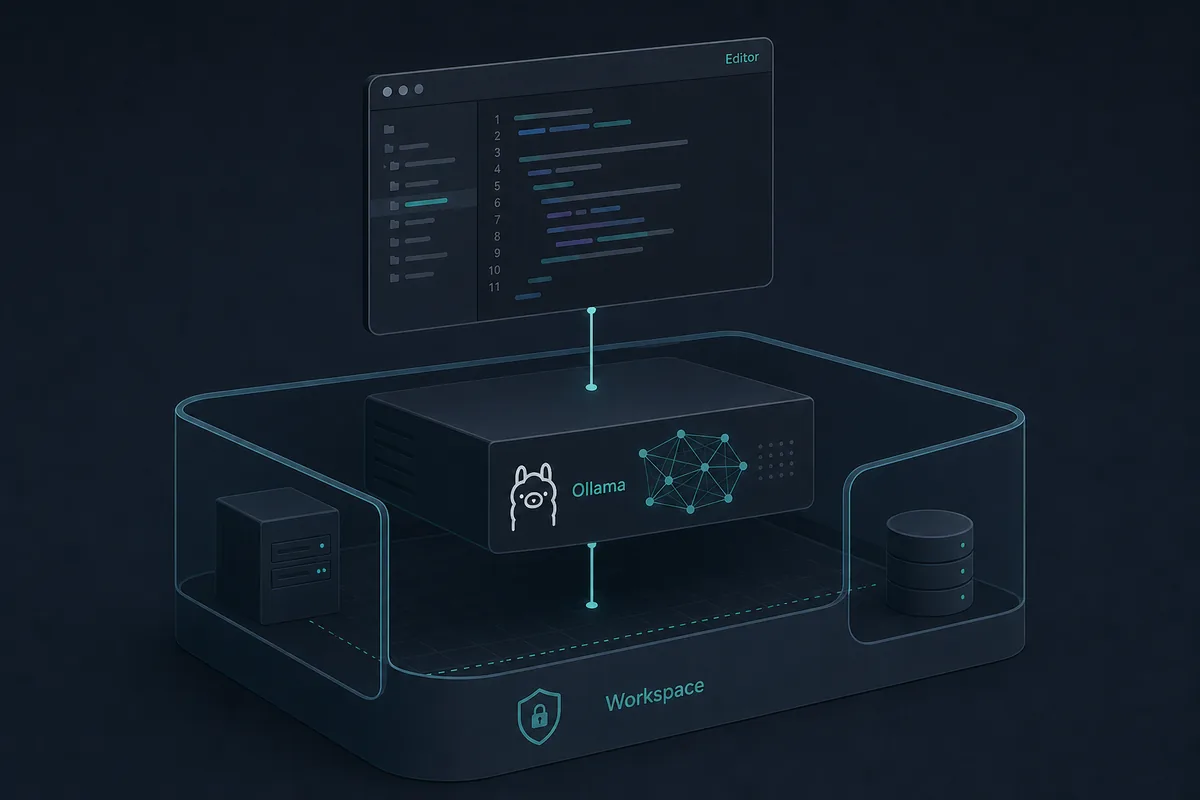
Cursor and VS Code are where code changes feel natural because the repository, diff, file tree, diagnostics, and terminal are already close to the developer. Ollama is the local model runtime that can serve models on the machine. Odysseus AI is useful as the workspace layer around setup notes, prompts, documents, research, and broader local AI workflows.
Do not treat those layers as interchangeable. Cursor is not the model server. Ollama is not a repository permission system. Odysseus AI is not a replacement for careful Git review. A safer workflow lets each layer do one job: editor-native code context, local inference, workspace memory, and explicit human approval for file and shell actions.
For most developers, the right starting point is not full autonomy. Start by asking the local agent to inspect a small project, summarize the target files, and propose a patch. Only after that should you allow writes, test commands, package installs, or Git operations.
Practical decision
Create this workflow only when the user intent is editor-specific. Broad searches like local AI agent already belong to the existing local AI coding agent page, while Cursor or VS Code plus Ollama deserves a more focused guide.
Keyword decision: new page, existing section, FAQ, anchor, or no action
The Similarweb keyword generator data points to a clear boundary. Generic local AI agent searches overlap with the existing local AI coding agent guide. Editor-specific searches, especially Cursor, VS Code, and local Ollama coding workflows, have a narrower intent and justify a separate page because the reader needs setup boundaries, tool roles, and permission choices before editing code.
Related phrases that only mention Ollama Web UI or Open WebUI should not become this page's primary target. They belong in existing Ollama setup or local dashboard comparison pages. Noisy unrelated Similarweb rows were excluded rather than forced into the article.
| Candidate | Similarweb signal | Intent | Page decision |
|---|---|---|---|
| cursor ai agent with local ollama | Phrase match: window volume about 390, difficulty 21, informational | Editor-specific local coding setup | New page primary keyword |
| how to build local ai agent in vs code | Question tab: average volume about 39, difficulty 20 | VS Code workflow question | H2 section and FAQ |
| does vs code support local ai agent assistant | Question tab: average volume about 46, difficulty 14 | Compatibility question | FAQ |
| local agent | Related tab: high volume but broad, difficulty 3 | Ambiguous local software/agent term | Internal-link anchor only |
| setup ai agent locally | Related tab: high prior volume, difficulty 16 | General local setup | Support section in existing local AI coding agent page |
| how to use openwebui with ollama | Ollama Web UI question, difficulty 18 | Dashboard setup | Existing Ollama/dashboard pages, not this page |
| open webui vs librechat | Related alternative comparison, difficulty 1 | Tool comparison | Possible future comparison, not this page |
| grid.upgrade | Repeated noisy Similarweb rows | Unrelated/no clear SERP fit | No action |
How Cursor, VS Code, Ollama, and Odysseus AI fit together
Think of the stack as four layers. The editor owns the live code surface. The model runtime answers prompts. The workspace stores broader task context and setup notes. The execution boundary decides what the agent may change or run. Keeping those layers visible helps you debug failures without granting broad permissions to the wrong component.
Cursor can provide an AI-first editor experience. VS Code can work with extensions that connect to local or compatible model endpoints. Ollama can expose local models through its API. Odysseus AI can help organize the surrounding self-hosted AI workspace, especially if you are already using it for local model notes, documents, or setup research.
| Layer | Best role | Safe first setting | Common mistake |
|---|---|---|---|
| Cursor or VS Code | Repository-aware editing, diffs, diagnostics, terminal visibility | Open one low-risk project | Letting the assistant touch unrelated folders |
| Ollama | Local model runtime and API endpoint | Test one small coding-capable model first | Debugging editor prompts before the model endpoint works |
| Odysseus AI | Workspace for prompts, documents, notes, and local AI setup decisions | Keep setup notes and model routing separate from editor permissions | Expecting the workspace layer to replace code review |
| Execution gate | Approves writes, tests, package installs, and Git actions | Require explicit approval | Treating read access and shell access as the same risk |
A step-by-step local workflow before you let the agent edit code
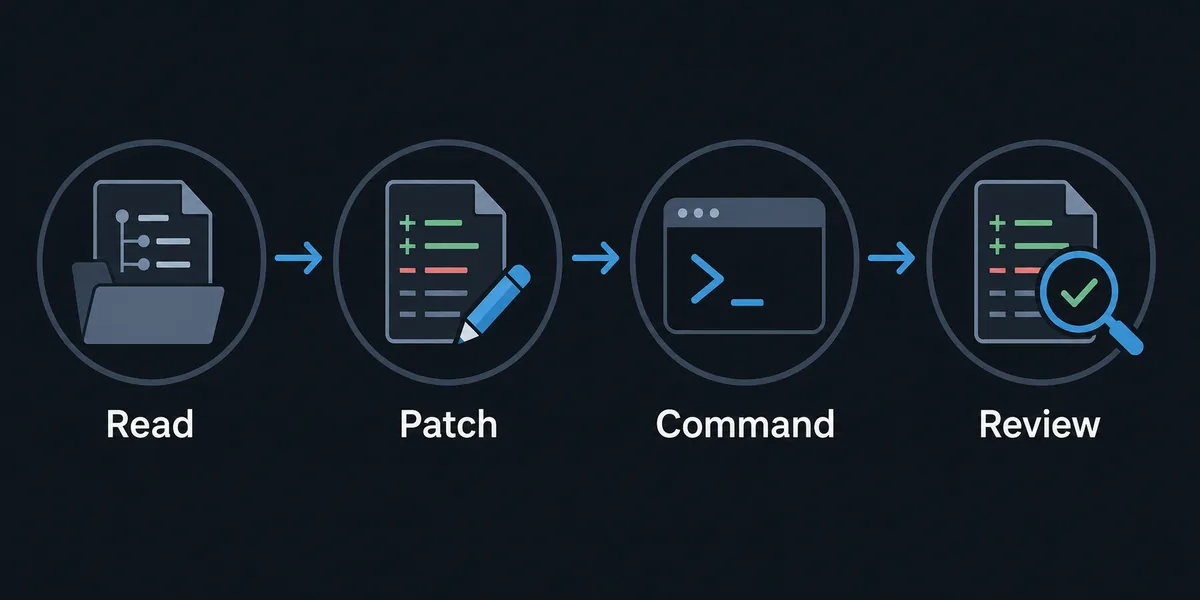
A focused local setup should prove each layer in order. First prove the model runtime, then the editor connection, then repository context, then patch generation, and only then command execution. This order keeps most troubleshooting simple because you always know which layer last changed.
Use a small repository with a clean Git status for the first test. Do not start with private production code, secrets, database dumps, or a monorepo full of generated files. The goal is to verify the shape of the workflow, not to prove the model can handle every file on your machine.
-
Verify Ollama outside the editor
Run Ollama, pull one model, and confirm it responds before you configure Cursor, VS Code, or Odysseus AI notes around it.
-
Connect the editor deliberately
Use the editor or extension settings that point to a local or OpenAI-compatible endpoint. Record which base URL and model tag worked.
-
Open a clean test repository
Start with a repo that has no secrets and a known baseline. Run the normal test or build command yourself once.
-
Ask for inspection before patching
Have the agent explain relevant files, routes, functions, and test coverage before it proposes edits.
-
Approve one patch and one command at a time
Review the diff after each edit. Treat package installs, migrations, deletes, and Git commands as higher-risk actions.
Permission gates for local coding agents
Local inference does not automatically make a coding agent safe. The model may be on your machine, but the workflow can still expose secrets, overwrite files, run unsafe commands, or commit generated clutter. Permission gates are the main safety feature, not an inconvenience.
Separate read, write, command, dependency, and Git permissions. Read access lets the assistant understand the code. Write access changes files. Command access can run tests, scripts, package managers, or destructive shell operations. Git access can publish a bad diff. Each permission deserves its own review habit.
| Gate | Allow first | Delay until |
|---|---|---|
| Read files | Specific project folder | Never grant whole-home-folder context without a reason |
| Write files | Small scoped patch | The agent can explain the intended diff |
| Run commands | Known tests or formatters | You understand the command and expected side effects |
| Install packages | Usually no | The dependency is part of the task and lockfile changes are reviewed |
| Commit or push | Manual review | Validation passes and staged files are exactly task-related |
Troubleshooting Cursor or VS Code with local Ollama
Most failures are not mysterious model problems. They are endpoint, model-tag, context, or permission problems. Check the model server first, then editor settings, then repository boundaries, then command output.
If you already use Odysseus AI for local model setup notes, record the working editor endpoint, model tag, and permission policy there. That makes it easier to rebuild the workflow later without repeating trial-and-error setup.
| Symptom | Likely cause | Fix |
|---|---|---|
| Editor cannot reach model | Ollama is not running or the endpoint URL is wrong | Test Ollama directly before changing editor prompts |
| Model appears but answers poorly | Model is too small or not code-oriented for the task | Try a coding-capable model on a small repo before broad changes |
| Agent edits too many files | Prompt and repository boundary are too broad | State the file area and require a plan before editing |
| Commands fail inside terminal | Project baseline or environment is not understood | Run the baseline manually and document the expected command |
| Diff contains caches or generated clutter | No artifact policy before validation | Review Git status and keep temporary files out of commits |
Cursor, VS Code, Ollama, and Odysseus AI FAQ
Sources and official docs
- Official Ollama API documentation - Reference for local model server behavior and API endpoints.
- Ollama VS Code integration notes - Official integration-oriented notes for VS Code and Ollama workflows.
- Official Odysseus AI GitHub repository - Primary public source for Odysseus AI setup and project positioning.
- Git documentation - Reference for status, diff, commit, and review behavior in repository workflows.
Related local AI workflow guides
- Local AI coding agent - Use this broader guide for repository boundaries, command permissions, and safe local coding-agent habits.
- Odysseus AI Ollama setup - Connect the Odysseus workspace to a local model endpoint without Docker or localhost confusion.
- Local AI agent dashboard - Compare Odysseus AI, Open WebUI, AnythingLLM, Dify, and Ollama-only dashboard choices.
- Odysseus AI Docker setup - Handle Docker Compose, volumes, ports, and safe local exposure before adding agent workflows.
Last updated: July 1, 2026
Back to Odysseus AI Wiki