Odysseus AI Docker Setup: 7 Checks Before You Expose the Workspace
A practical Docker-first guide for cloning Odysseus AI, creating the .env file, starting Compose, finding the first admin password, connecting host Ollama, preserving data, and keeping raw services private.

In this guide
The Docker route is attractive because it gives Odysseus AI a repeatable local stack without mixing every dependency into your host operating system. The tradeoff is that Docker adds clear boundaries: a container has its own localhost, volumes decide what survives a rebuild, and helper services can become risky if you publish more ports than the web UI actually needs. This guide treats the Docker setup as a sequence of checks rather than a single command to copy.
Use Docker when you want a repeatable local Odysseus AI stack
Choose Docker if you want the official quick-start flow, isolated service dependencies, and a setup that can be rebuilt without guessing which Python or system package changed on the host. The current public README presents Docker Compose as the first quick-start path, which makes it the safest default for a clean first attempt.
Do not choose Docker because you think it removes every setup decision. You still need to know which branch you cloned, which environment file is active, which port the web UI uses, where the admin password appears, and whether a model backend such as Ollama is running inside the stack or on the host machine.
The practical rule is simple: prove the web app first, prove the model endpoint second, and expose nothing beyond localhost until the private services around the workspace have been reviewed.
Default command path
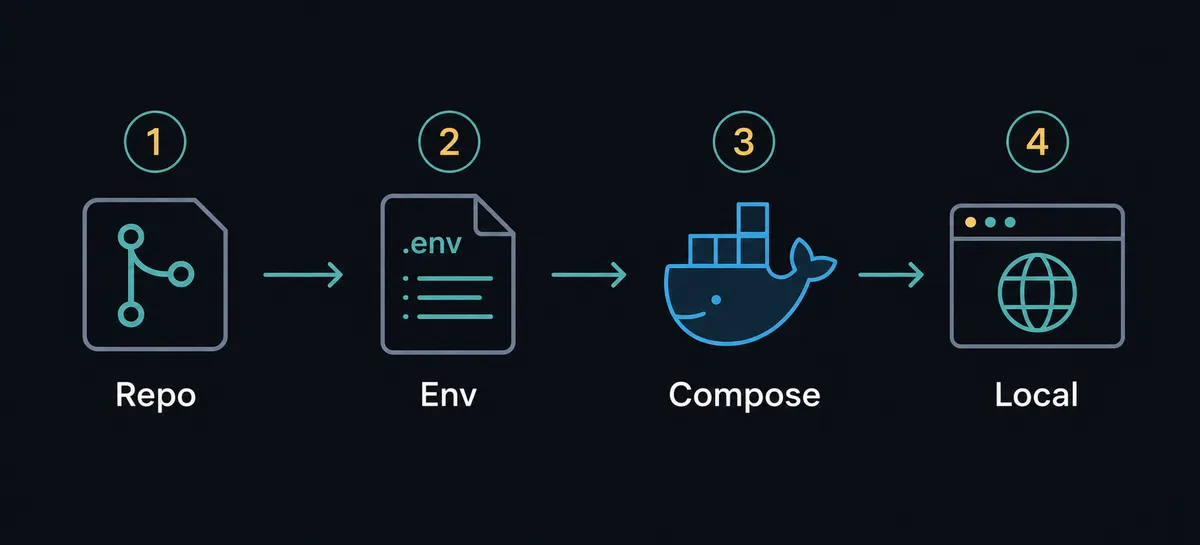
git clone, copy .env.example, run docker compose up -d --build, open http://localhost:7000, then inspect docker compose logs odysseus for the generated first login details.
Run Docker Compose in a clean, inspectable order
Start from the official repository rather than a random zip or copied command block. Odysseus AI is moving quickly, and setup details such as branch choice, GPU overlays, ports, and service names can change faster than third-party tutorials. Keep your first run boring so that errors are easy to isolate.
If you are on Windows, make sure Docker Desktop is actually running before you clone and build. If you are on macOS or Linux, confirm the Docker daemon is available and that the repository is stored somewhere Docker can read without permission surprises.
1. Clone the repository you intend to run
Use the official repository, then decide whether you want the newest dev branch or a curated main branch before editing files.
git clone https://github.com/pewdiepie-archdaemon/odysseus.git
cd odysseus
2. Create the environment file
Copy the example file so Compose and the app read explicit defaults. Keep secrets out of screenshots and do not commit your edited .env file.
cp .env.example .env3. Build and start the stack
The first build can take a while because images and dependencies are downloaded. Let it finish before opening multiple troubleshooting tabs.
docker compose up -d --build4. Check service health and first credentials
Open the local UI only after containers are healthy. The generated first admin password is printed in the Odysseus service logs.
docker compose ps
docker compose logs odysseus
Understand .env, port 7000, and what should actually be reachable
The web UI is the part most users need in the browser. In the public quick start, the expected local URL is http://localhost:7000 once containers are healthy. If that port is already occupied, change the documented app port setting in .env instead of editing random generated files.
A Compose stack may include supporting services for search, notifications, storage, or vector data. Those services are not meant to become public entry points just because the web UI works. Before any reverse proxy or LAN exposure, inspect the Compose file and confirm which ports are bound to the host.
| Setting or check | What it proves | What to avoid |
|---|---|---|
| .env copied from example | The app is reading explicit local defaults. | Running with unknown inherited shell variables. |
| localhost:7000 | The browser can reach the web UI on the expected local port. | Opening helper service ports in a browser and treating them as the app. |
| docker compose ps | Every expected service is up or shows its failure state. | Changing model settings before the app container is healthy. |
| logs odysseus | The app startup path and first credentials are visible. | Sharing logs that contain generated passwords or tokens. |
Connect host Ollama without confusing container localhost
Ollama is a separate model server in the common Docker setup. If Ollama runs on the host and Odysseus AI runs inside a container, localhost inside the container is not the host machine. That is why Docker-to-host instructions often use host.docker.internal for the base URL.
Test in layers. First confirm Ollama responds on the host. Then confirm the container can reach the host endpoint. Only after that should you save the model provider settings inside Odysseus AI.
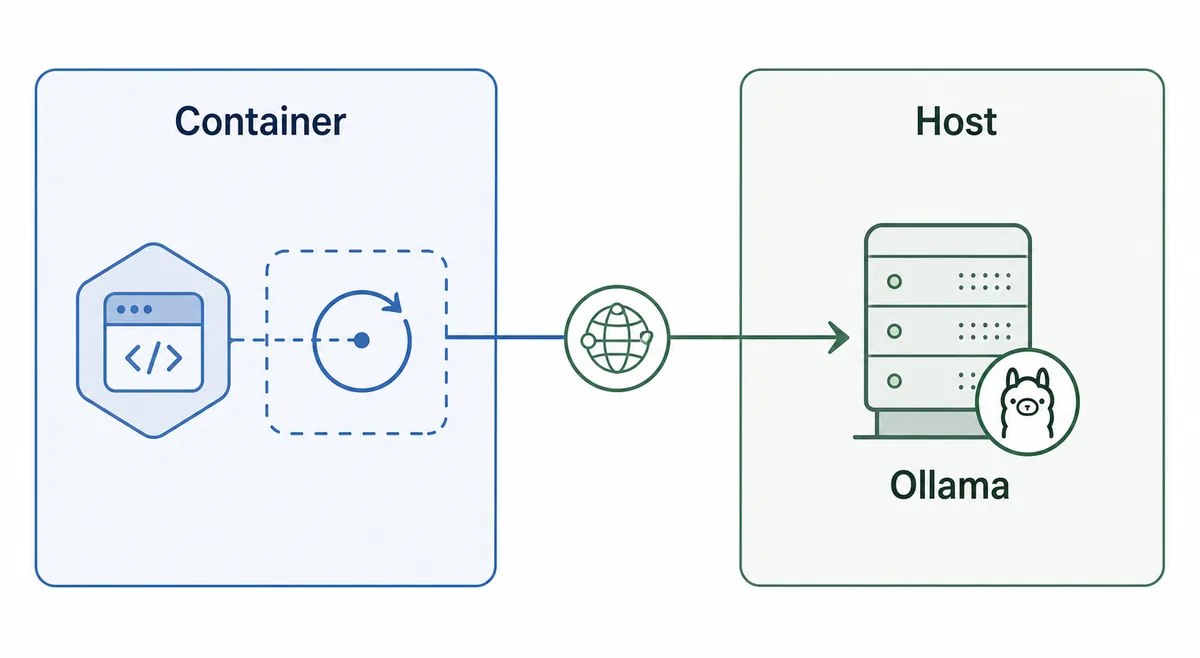
Common Docker-to-host Ollama endpoint
http://host.docker.internal:11434/v1| Where Odysseus runs | Where Ollama runs | Endpoint to test first |
|---|---|---|
| Docker container | Host machine | http://host.docker.internal:11434/v1 |
| Docker container | Same Compose network | Use the service name and internal port from the Compose network. |
| Native host process | Same host | http://127.0.0.1:11434/v1 |
| Remote server | Another machine | Use a deliberate HTTPS or private-network endpoint, not an exposed raw port. |
Know what survives rebuilds, updates, and restarts
Docker makes rebuilds easy, but a workspace is not disposable once you add accounts, settings, documents, memories, or local configuration. Before updating, identify which named volumes or mounted folders hold application state. Back them up before major changes.
Use Compose commands with intent. A normal restart is different from removing volumes. When you are only refreshing the app image, do not run cleanup commands that remove persistent data unless you already exported what matters.
| Action | Use it when | Risk level |
|---|---|---|
| docker compose restart | The stack is already built and you only need a clean service restart. | Low; state normally remains. |
| docker compose pull && docker compose up -d --build | You want to refresh images and rebuild from current source. | Medium; read release or README notes first. |
| docker compose down | You want to stop and remove containers while keeping named volumes. | Usually safe, but verify your Compose file. |
| docker compose down -v | You intentionally want to remove volumes for a reset. | High; can delete workspace state. |
First-boot troubleshooting matrix
Most first-run errors become easier when you separate build, container health, browser access, login credentials, and model routing. Fix the earliest failing layer before changing later settings.
| Symptom | Likely cause | First fix |
|---|---|---|
| Docker command is not recognized | Docker Desktop or the daemon is not installed, not running, or not available in the current shell. | Start Docker Desktop or the Docker service, then run docker version before rebuilding. |
| Build succeeds but localhost:7000 does not load | Containers are still starting, the app bound a different port, or a service is unhealthy. | Run docker compose ps and docker compose logs odysseus, then verify the configured app port. |
| No first admin password is visible | The relevant startup log scrolled past, the app reused existing state, or credentials were set in .env. | Inspect docker compose logs odysseus and check whether .env already defines admin credentials. |
| Ollama works on the host but not in Odysseus | The container is trying localhost instead of the host gateway. | Use host.docker.internal:11434/v1 for Docker-to-host routing and test from the same runtime layer. |
| Data disappears after cleanup | Volumes were removed during reset commands. | Restore from backup and avoid docker compose down -v unless a full reset is intended. |
Security checklist before LAN, tunnel, or reverse-proxy access
A self-hosted AI workspace can touch files, prompts, documents, model endpoints, and agent tools. Local control is valuable only when the deployment boundary is intentional. Do not treat a successful localhost test as a production deployment.
The safest early pattern is to bind only the web UI you need, keep helper services private, change first credentials, enable HTTPS for remote access, and avoid publishing raw model or database ports. If you cannot explain each exposed port, keep the stack local.
- Change or set the admin credential before allowing anyone else to reach the UI.
- Check docker compose ps and the Compose file for every host port binding.
- Keep ChromaDB, notification services, model servers, and other helper services off the public internet.
- Use HTTPS and a trusted reverse proxy before remote access.
- Keep .env, logs, and screenshots with tokens or generated passwords out of Git and public posts.
- Back up named volumes before upgrades, migrations, or destructive cleanup.
Safe default
Keep Odysseus AI on localhost until you have reviewed authentication, exposed ports, HTTPS, firewall scope, and the model endpoint path.
FAQ
References
- Official Odysseus AI GitHub repository - Current README, Docker quick start, feature list, and security notes.
- Docker Compose documentation - Reference for Compose commands, services, networks, and volumes.
- Docker Desktop networking documentation - Host-to-container and container-to-host networking behavior.
- Ollama API documentation - Endpoint checks for local model server connectivity.
Related guides
- Odysseus AI Ollama setup - Use this next if the Docker stack works but model routing is still unclear.
- Odysseus AI Windows setup - Windows-specific notes for WSL2, Docker Desktop, firewall prompts, and host endpoints.
- Odysseus AI macOS setup - Compare Docker with the native Apple Silicon startup path.
- Official Odysseus README - Verify current setup commands before running them.
Last updated: June 22, 2026
Back to Odysseus AI Wiki