Odysseus AI Ollama Setup: Connect Local Models Step by Step
A focused Odysseus AI Ollama setup guide for Docker and native installs, with endpoint examples, local model checks, and fixes for provider errors.

In this guide
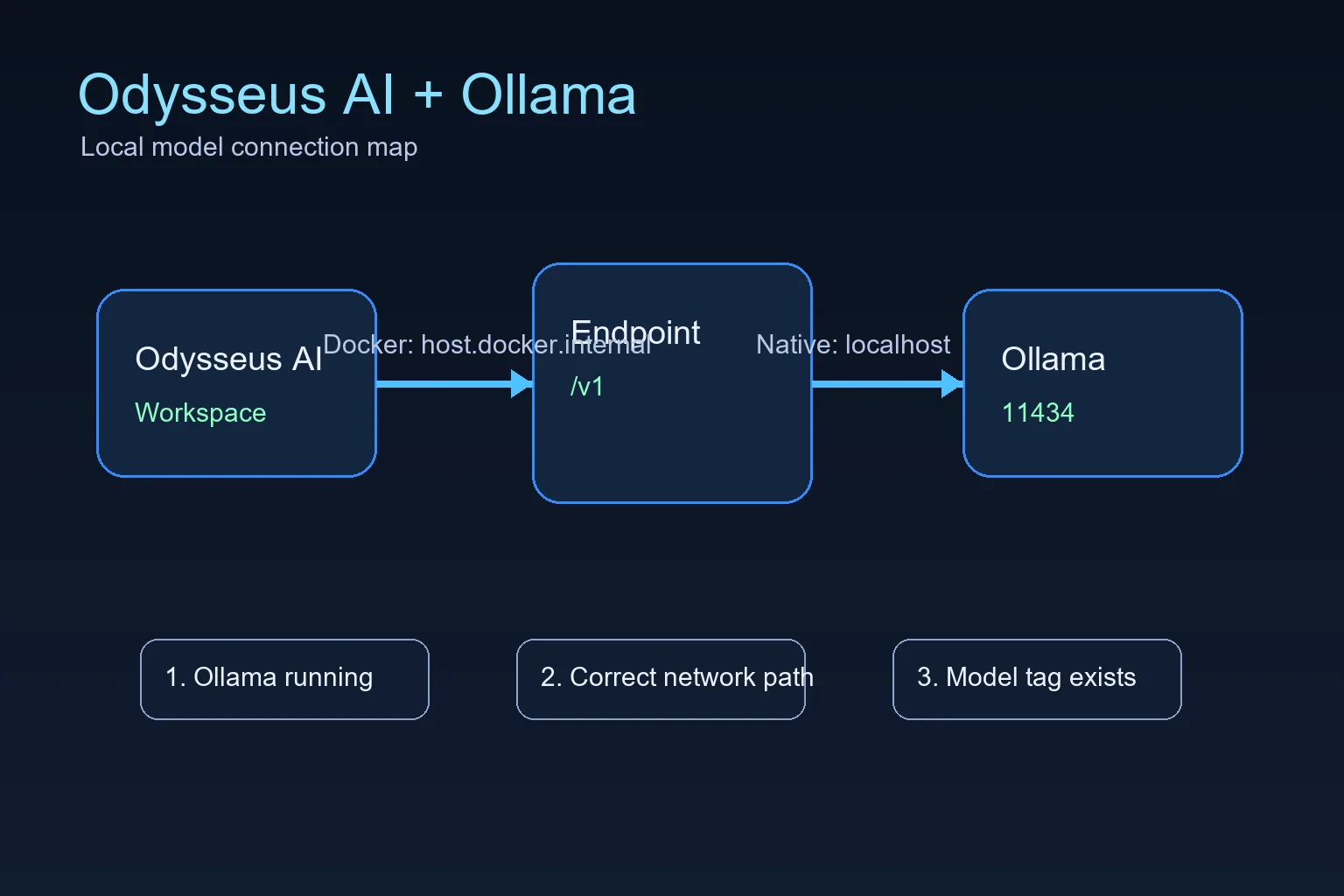
An Odysseus AI Ollama setup has two separate checks: the Ollama server must be healthy, and Odysseus AI must reach it from the correct runtime network. This guide covers the Docker-to-host path, native Windows/Linux/macOS setup, local model examples, and the questions that usually appear when a provider connects but no model is available.
Choose the Ollama endpoint that matches the runtime
The most common Odysseus AI Ollama setup mistake is copying a native localhost URL into a Docker container. The endpoint must describe where Ollama is reachable from the Odysseus process, not where it is installed on your desk.
Use host.docker.internal:11434/v1 when Odysseus AI runs in Docker and Ollama runs on the host. Use 127.0.0.1:11434/v1 when both services run natively on the same machine. After choosing the endpoint, test Ollama and confirm a model before troubleshooting prompts or agent behavior.
Docker to host Ollama endpoint
http://host.docker.internal:11434/v1Docker-to-host Ollama setup: connect and verify the route
A Docker-based Odysseus AI Ollama setup crosses a network boundary. localhost inside the container points to the container, so the host endpoint must be explicit and Ollama must listen on an address the container can reach.
Keep the first test local. The goal is to prove one route from the container to Ollama before exposing ports, changing model tags, or adding another provider.
1. Start Ollama so it listens beyond its own loopback when needed
If Docker cannot reach Ollama, start Ollama with an explicit host binding. Keep this binding limited to trusted local use unless you understand your network exposure.
OLLAMA_HOST=0.0.0.0:11434 ollama serve2. Confirm Ollama has at least one model
Odysseus AI can connect to the endpoint and still show no useful model if Ollama has not pulled anything yet. Pull a small model first if you are only testing the connection.
ollama list
ollama pull llama3.2:3b
3. Put the Docker endpoint in Odysseus AI Settings
Use the OpenAI-compatible base URL in the model or service settings area. Do not use localhost for this Docker-to-host layout unless your Docker platform has been configured differently.
http://host.docker.internal:11434/v14. Check container health before debugging prompts
If the Odysseus service is degraded, fix that first. A model endpoint cannot repair a broken container startup, missing environment file, or unhealthy dependency.
docker compose ps
docker compose logs --tail=120 odysseus
Native Ollama setup on Windows, Linux, and macOS
When Odysseus AI and Ollama run natively in the same operating-system session, localhost usually points to the expected machine. The app port can vary by setup, but Ollama commonly remains on port 11434 unless OLLAMA_HOST was changed.
For a Mac-specific installation decision, use the existing macOS setup guide; for Windows or hardware planning, keep the platform and requirements pages as separate next steps rather than mixing their intent into this connection guide.
| Setup | Endpoint to try first | What to watch |
|---|---|---|
| Windows native Odysseus + Windows Ollama | http://127.0.0.1:11434/v1 | Use localhost when both services run natively on the same Windows machine. |
| Linux native Odysseus + Ollama | http://127.0.0.1:11434/v1 | Check service permissions if either process runs as a background service. |
| macOS or Apple Silicon native path | http://127.0.0.1:11434/v1 | The Odysseus UI port can differ, but Ollama usually remains on 11434. |
| Odysseus in Docker + host Ollama | http://host.docker.internal:11434/v1 | Use the Docker host name because container localhost is not the host machine. |
Fix Odysseus AI Ollama provider and endpoint errors
Read failures from the network layer upward: Ollama process, reachable endpoint, listed model, provider configuration, then prompts. This order keeps an endpoint problem from looking like a model-quality problem.
| Symptom | Likely cause | Fix |
|---|---|---|
| Connection refused | Ollama is not running or is listening only where Odysseus cannot reach it. | Start Ollama, confirm port 11434, and use an explicit OLLAMA_HOST binding for Docker-to-host testing. |
| Host browser works but Docker fails | The endpoint uses localhost inside the container. | Switch the endpoint to http://host.docker.internal:11434/v1. |
| No model appears | No model has been pulled or the model tag is wrong. | Run ollama list, pull a small model, and select the exact tag. |
| Slow first response | The model is loading or too large for the machine. | Test a smaller model before agents, tools, or documents. |
| Unexpected LAN exposure | A service was bound to all interfaces without a trust boundary. | Return to localhost-only binding unless firewall, VPN, and auth are intentional. |
Final verification checklist before you trust the setup
A working setup should pass these checks in order. Stop at the first failure and fix that layer instead of jumping ahead.
- Ollama responds on the host and ollama list shows a model.
- The Odysseus service is healthy in Docker or native logs.
- The endpoint matches the runtime layout.
- A small prompt works before larger agents or document workflows.
- Any LAN exposure is authenticated and intentional.
Keep the first setup local
Connecting Odysseus AI to Ollama does not require publishing either service to the public internet. Keep both local until authentication, firewall rules, and reverse proxy behavior are deliberate.
2026 verification notes for an Odysseus AI Ollama setup
Before changing the model name, verify the runtime boundary and the exact base URL. The same Ollama server can need localhost for a native process and host.docker.internal for a containerized process.
A useful setup example is: list a known model, test the endpoint from the same runtime layer as Odysseus AI, then save the provider configuration. If the first request fails, keep the model tag unchanged until connectivity is proven.
| Check | Good result | What to do if it fails |
|---|---|---|
| Host Ollama API | The host can reach http://127.0.0.1:11434 before Odysseus is involved. | Start Ollama, pull a small model, and test the API outside Odysseus first. |
| Docker-to-host route | A containerized Odysseus setup uses host.docker.internal:11434/v1. | Do not use localhost from inside the container unless Ollama also runs in that container network. |
| Native route | A native Odysseus setup uses 127.0.0.1:11434/v1 when Ollama is on the same machine. | Remove Docker-specific hostnames from native settings and test with a small prompt. |
- Keep Ollama local while testing unless you intentionally configured firewall and authentication rules.
- Confirm the selected model tag exists in ollama list before troubleshooting Odysseus prompts.
- Record which endpoint worked so future Docker or native migrations do not inherit the wrong URL.
Odysseus AI Ollama setup FAQ
Sources and official references
- Official Odysseus AI GitHub repository - Docker, Windows, Apple Silicon, and Ollama endpoint guidance.
- Ollama API documentation - Local model server API behavior.
- Docker Desktop networking documentation - host.docker.internal host networking behavior.
Related Odysseus AI setup guides
- Local AI agent dashboard comparison - Compare Odysseus AI with other local dashboard choices before committing to a setup path.
- Ollama Docker setup - Set up a persistent Ollama container before connecting its endpoint to Odysseus AI.
- Odysseus AI Windows setup - Use the Windows guide for WSL2, Docker Desktop, firewall, and local endpoint checks.
- Odysseus AI macOS setup - Use the Mac guide for native Apple Silicon, Docker, and Ollama endpoint choices.
- PewDiePie AI / Odysseus AI explained - Understand what the workspace is before installing or exposing it.
- Official Odysseus README - Check current upstream setup commands and provider notes.
- How to use Odysseus AI - Move from setup to a safe first task and daily workflow.
- Odysseus AI system requirements - Check RAM, storage, GPU, and model planning before adding a local provider.
Last updated: August 13, 2026
Back to the Odysseus AI Wiki