Odysseus AI macOS Setup: Mac, MacBook, Apple Silicon, and Ollama
A practical Mac setup guide for Odysseus AI covering native Apple Silicon, Docker tradeoffs, Ollama endpoints, and first-launch checks.

In this guide
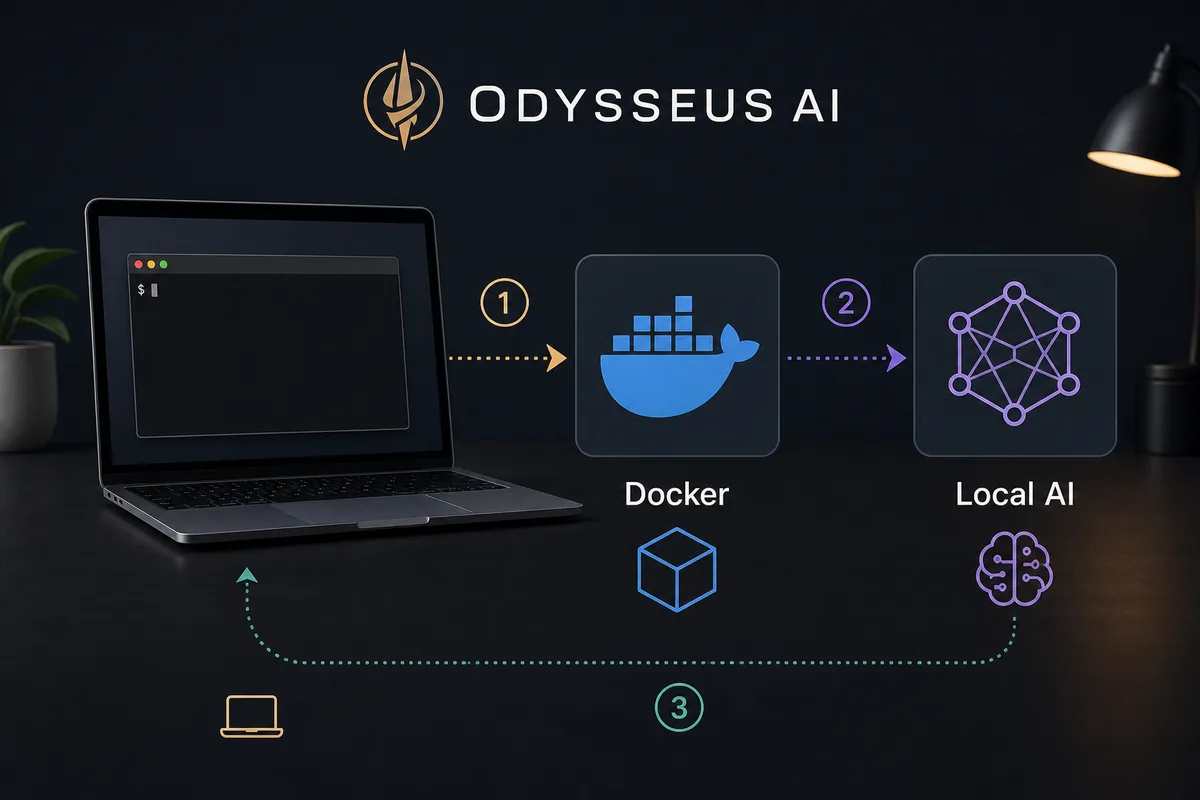
An Odysseus AI macOS setup can mean a MacBook or iMac first launch, an Apple Silicon native workflow, or a Docker test that connects to Ollama on the Mac host. This guide keeps those paths separate so you can choose the right runtime, verify the local UI, and only then tune model or endpoint settings.
Choose the Mac setup path by what you need to prove
For most MacBook and iMac users, the native Apple Silicon path is the clearest starting point when local models and Ollama are part of the goal. Docker remains useful for an isolated or reproducible test, but it adds a network layer that changes what localhost means.
Use native Odysseus AI plus native Ollama when both services run on the Mac. Use host.docker.internal when Odysseus AI is in Docker and Ollama stays on the Mac host. The setup choice should come before changing ports or model tags.
Native macOS starting point from the project flow
git clone https://github.com/odysseus-dev/odysseus.git
cd odysseus
./start-macos.sh
Native Odysseus AI macOS setup on Apple Silicon
The native macOS route is usually the most direct MacBook or iMac setup for local model workflows. Confirm the repository, launcher permissions, Python/dependency state, and first local URL before adding Ollama or another provider.
A clean first launch should prove the workspace is healthy. Treat a port conflict or dependency error as a startup issue; do not use model configuration to mask it.
1. Clone the official repository and enter the project
Use the official repository as the source of truth for setup scripts, issues, and README changes. Avoid random copied command snippets when they disagree with the current repo.
git clone https://github.com/odysseus-dev/odysseus.git
cd odysseus
2. Run the macOS launcher and watch the first error carefully
The first failure usually tells you whether the issue is permissions, Python, dependencies, or a port conflict. Fix that layer before changing model endpoints.
chmod +x ./start-macos.sh
./start-macos.sh
3. Open the local UI and complete initial login
If the app starts on a documented local port, use that address in the browser and replace any temporary admin credential according to the app's current prompts.
http://127.0.0.1:78604. Only then configure model and service settings
After the workspace itself is healthy, connect Ollama or another model provider inside Settings. Debugging model routing before the app is healthy hides the real problem.
http://127.0.0.1:11434/v1Docker on a Mac: isolation versus local model access
Docker is a valid macOS setup when you want a disposable test, a predictable dependency boundary, or deployment-like parity. It is not automatically the best default for an Apple Silicon local-model workflow.
When a container must reach Ollama on the Mac host, use the Docker host endpoint rather than assuming container localhost points to the Mac. Keep the first run local until the route is understood.
| Choice | Best for | Watch this |
|---|---|---|
| Native Apple Silicon | Local model workflows, fewer networking layers, easier Ollama pairing | You must keep Python and local dependencies healthy on the Mac. |
| Docker on macOS | Clean trial runs, isolated dependencies, deployment-like testing | Use host.docker.internal when a container must reach Ollama on the host. |
| Remote Linux host | Always-on workspace, server GPUs, team access | Do not expose the app before auth, firewall, and reverse proxy rules are deliberate. |
Connect Ollama during the Odysseus AI Mac setup
Ollama is a separate local model server. For native Odysseus AI and native Ollama on the same Mac, start with http://127.0.0.1:11434/v1. For Docker Odysseus AI with host Ollama, use http://host.docker.internal:11434/v1.
Verify Ollama with a listed model before debugging the Odysseus AI UI. A Mac setup can launch successfully while the provider endpoint or model tag is still wrong.
Native Mac Odysseus AI to local Ollama endpoint
http://127.0.0.1:11434/v1Troubleshoot Odysseus AI on MacBook, iMac, and macOS
Check the launcher and local UI first, then the runtime network, then Ollama and the model tag. This order separates a Mac startup problem from a provider problem.
| Symptom | Likely cause | Fix |
|---|---|---|
| The macOS script will not run | Missing execute permission, shell policy, or dependency setup failure. | Run chmod +x on the script, start it from the repo root, and read the first dependency error instead of rerunning blindly. |
| Browser cannot open the local UI | The app is not listening yet or the expected port is occupied. | Check the terminal output, try the documented local port, and stop any unrelated process using that port. |
| Ollama works in Terminal but not in Odysseus AI | The endpoint does not match native versus Docker networking. | Use 127.0.0.1 for native-to-native, or host.docker.internal for Docker-to-host. |
| The first prompt is very slow | The model is loading, too large, or memory pressure is high. | Test a smaller model first and verify Ollama responds before testing agents or documents. |
| You want to open Odysseus AI from another device | Local-only binding and security defaults are doing their job. | Plan authentication, firewall, and reverse proxy rules before binding to all interfaces. |
Final verification checklist for a Mac install
A Mac setup is ready for real testing only after the workspace, model endpoint, and safety boundary are all clear.
- The Odysseus AI web UI opens from a local browser after a fresh launch.
- You know whether this run is native, Docker, or remote, and the endpoint matches that choice.
- Ollama responds separately before Odysseus AI tries to use it.
- A small model works before you test larger agents, research, or documents.
- The workspace is not exposed to the LAN or internet until auth and network rules are deliberate.
Keep the first Mac install local
The easiest secure default is to keep Odysseus AI and Ollama on localhost while you learn the setup. Convenience changes such as LAN binding, reverse proxies, or all-interface listeners should come after the app works locally.
2026 Mac verification notes for Odysseus AI setup
The Mac decision is mainly about where the workspace and model runtime run. Native Apple Silicon removes a container network layer, while Docker provides isolation but changes host access.
Use this sequence for a MacBook or iMac: launch the workspace, open the local UI, verify Ollama separately, select the endpoint for the chosen runtime, and only then test a model request.
| Mac path | Best endpoint assumption | Verification step |
|---|---|---|
| Native Apple Silicon | Use http://127.0.0.1:11434/v1 for local Ollama. | Test Ollama separately, then configure Odysseus settings. |
| Docker on macOS | Use http://host.docker.internal:11434/v1 for host Ollama. | Confirm Docker can reach the host before changing model tags. |
| Remote or LAN access | Keep localhost until auth, firewall, and reverse proxy behavior are deliberate. | Do not bind broadly just to solve a local setup issue. |
- Treat the official GitHub repository as the command source of truth.
- Debug app startup before model endpoints, and model endpoints before agent workflows.
- Keep screenshots and support logs free of generated passwords or local secrets.
Odysseus AI macOS setup FAQ
Sources and official references
- Official Odysseus AI GitHub repository - Current setup scripts, README guidance, issues, and repository changes.
- Official Odysseus landing page - Public feature tour and workspace positioning.
- Ollama API documentation - Local model API behavior and endpoint reference.
- Docker Desktop networking documentation - host.docker.internal and container-to-host networking behavior.
Related Odysseus AI Mac setup guides
- Odysseus AI Windows setup - Compare the Windows and WSL2 path when the same workspace is used across machines.
- Odysseus AI Ollama setup - Use the endpoint guide when local models are the next step after a Mac launch.
- PewDiePie AI / Odysseus AI explained - Clarify the project and setup expectations before installing.
- Official Odysseus README - Verify current Mac commands upstream.
- Odysseus AI system requirements - Plan RAM, storage, GPU, and model size before a serious Mac workflow.
Last updated: August 13, 2026
Back to Odysseus AI Wiki