로컬 AI 에이전트 대시보드를 고르기 전 6가지 점검
모델 런타임 위에 Odysseus AI, Open WebUI, AnythingLLM, Dify 또는 더 가벼운 로컬 구성을 둘지 판단하는 실전 비교입니다.

이 가이드에서
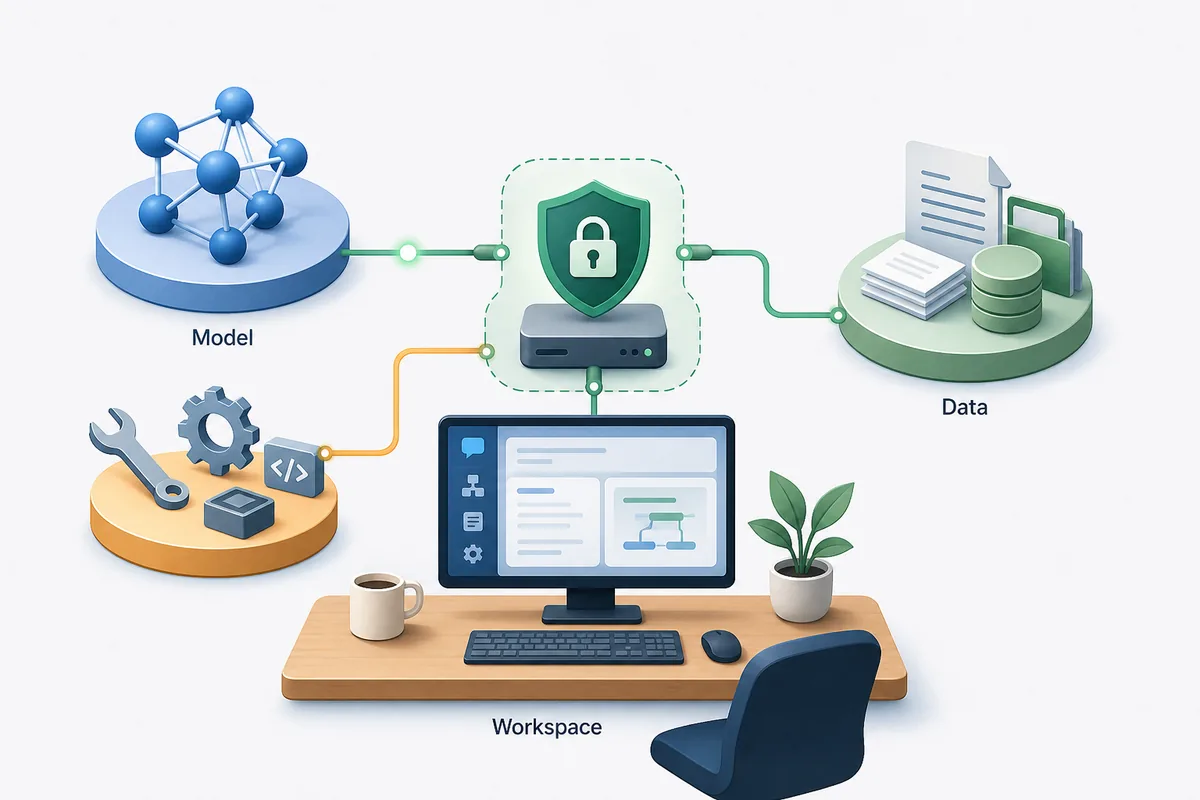
로컬 AI 에이전트 대시보드를 찾는 사용자는 모델 목록보다 Ollama, 파일, 도구, 에이전트 워크플로를 묶는 상위 레이어의 선택 기준이 필요합니다.
모델이 아니라 대시보드의 역할부터 정하세요
로컬 모델 런타임은 프롬프트에 답합니다. 로컬 AI 에이전트 대시보드는 채팅, 파일, 도구 호출, 메모리, 리서치, 문서 검색, 서비스 설정을 반복 가능한 작업으로 조직합니다.
Odysseus AI를 보는 사용자라면 먼저 목적을 나누어야 합니다. 로컬 모델 주변에 에이전트와 문서를 포함한 self-hosted 워크스페이스가 필요하면 Odysseus AI를 테스트할 만합니다. Ollama용 채팅 화면만 필요하면 더 가벼운 채팅 도구가 빠를 수 있습니다.
이 선택은 아키텍처 결정입니다. 모델이 어디서 실행되는지, 개인 파일이 어디에 저장되는지, 누가 로그인하는지, 어떤 도구가 필요한지, 유지보수 부담이 어느 정도인지 먼저 정하세요.
Best first filter
Choose a workspace dashboard for repeatable local AI work; choose a chat UI for simple prompting; choose an app builder when the goal is packaging workflows for other users.
Six checks that matter before you install a local AI agent dashboard
많은 로컬 AI 대시보드는 스크린샷으로 보면 비슷합니다. 차이는 파일 추가, 모델 라우팅, 도구 실행, 백업, 컨테이너 업데이트, 안전한 노출 단계에서 드러납니다.
여러 대시보드를 동시에 설치하기 전에 아래 점검표로 실제 업무에 맞는지 확인하세요.
| 점검 | 확인할 것 | 주의 신호 |
|---|---|---|
| Model routing | OpenAI-compatible endpoints, Ollama support, and clear base URL settings. | The app hides endpoint behavior or assumes one hosted provider. |
| Workspace depth | Agents, documents, research, notes, tasks, or repeatable flows if you need more than chat. | The dashboard is pleasant but becomes thin once you add real work. |
| Data location | Clear storage paths, volumes, backups, and export options. | You cannot tell where uploads, embeddings, credentials, or conversation history are stored. |
| Local exposure | Localhost-first setup, authentication, and deliberate reverse-proxy guidance. | A tutorial tells you to publish ports before changing credentials. |
| Maintenance | Readable Docker or native install flow, active releases, and plain upgrade steps. | A fragile install script is the only documented path. |
| Workflow fit | A product shape that matches your actual use: personal workspace, chat UI, knowledge base, or app builder. | You are installing a large platform for a one-person prompt box. |
Odysseus AI vs Open WebUI vs AnythingLLM vs Dify
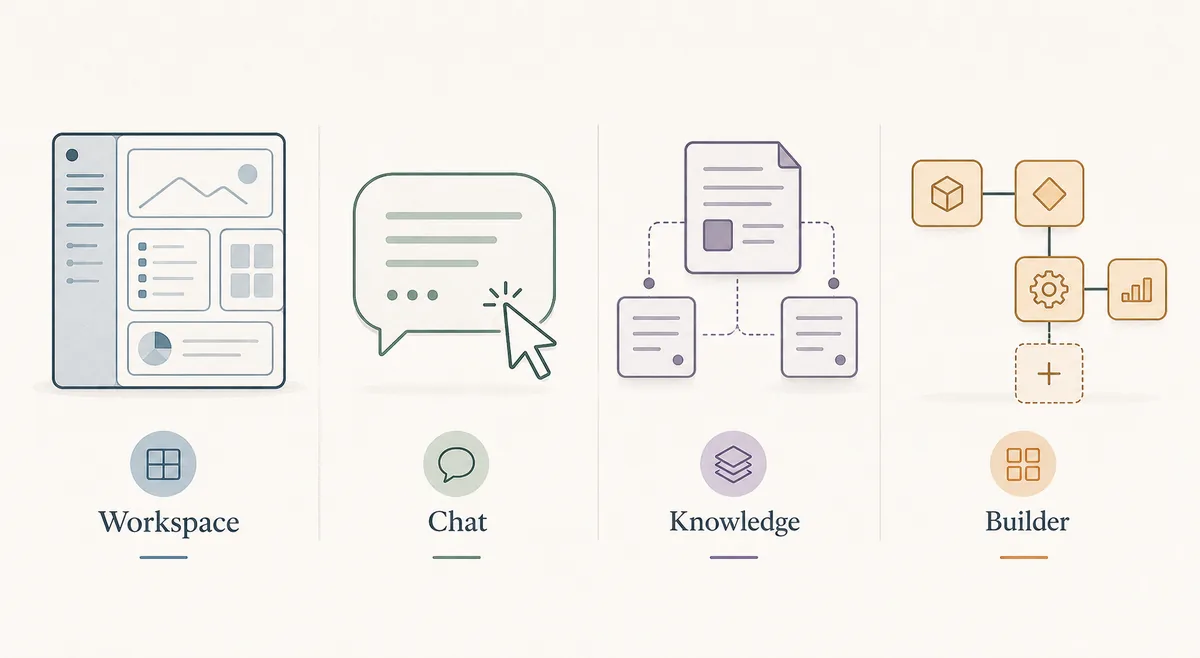
이 도구들은 겹치지만 서로 대체품은 아닙니다. Odysseus AI는 에이전트, 문서, 리서치, 서비스 설정을 감싸는 self-hosted 워크스페이스로 볼 수 있습니다.
정답이 두 레이어일 수도 있습니다. Ollama를 모델 런타임으로 두고 그 위에 Odysseus AI 같은 워크스페이스를 올린 뒤, 처음에는 localhost에만 유지합니다.
| 선택지 | 적합한 용도 | 트레이드오프 | 로컬 적합도 |
|---|---|---|---|
| Odysseus AI | 채팅, 에이전트, 문서, 리서치, 노트, 서비스 설정을 포함한 self-hosted 워크스페이스. | 단순 채팅 UI보다 설정 판단이 많습니다. | 로컬 작업 표면이 필요할 때 강합니다. |
| Open WebUI | Ollama와 함께 쓰기 좋은 로컬 채팅 UI. | 에이전트 깊이는 설정에 따라 달라집니다. | 채팅 중심 로컬 LLM 사용에 강합니다. |
| AnythingLLM | 개인 문서와 지식 기반. | 넓은 에이전트 계층에는 덜 적합합니다. | 파일 중심 작업에 강합니다. |
| Dify | 재사용 가능한 LLM 워크플로를 만드는 팀. | 개인용 대시보드로는 무거울 수 있습니다. | 제품화된 워크플로에 강합니다. |
| Ollama만 사용 | 로컬 모델 제공과 API 테스트. | 대시보드나 워크스페이스가 아닙니다. | 모델 계층으로 필요하지만 인터페이스로는 부족합니다. |
When Odysseus AI is the right local workspace layer
Odysseus AI는 단순히 모델 실행이 아니라 제공자, 파일, 에이전트, 리서치 흐름을 함께 관리하려는 경우에 잘 맞습니다.
문서나 에이전트 없이 로컬 모델에 짧은 프롬프트만 보내면 되는 경우에는 더 가벼운 채팅 UI가 현실적일 수 있습니다.
민감한 작업에서는 self-hosted라도 인증, 포트, 백업, 로컬 엔드포인트를 반드시 확인해야 합니다.
Good Odysseus AI fit
You want a local-first workspace where agents, documents, research, settings, and model endpoints can be managed in one place.
- You already know or are willing to learn the difference between model runtime, dashboard, and reverse proxy.
- You plan to use local models through Ollama or another OpenAI-compatible endpoint.
- You want document and research workflows, not only a single chat box.
- You are comfortable checking logs, ports, environment files, and update steps.
- You will keep the first install on localhost until authentication and data storage are understood.
A safe local setup plan for testing any dashboard
한 번에 여러 대시보드를 설치하지 마세요. 모델 계층, 대시보드, 파일 또는 에이전트, 네트워크 노출 순서로 확인합니다.
이 순서는 Odysseus AI와 다른 로컬 대시보드 모두에 적용됩니다.
1. Prove the model runtime
Start Ollama, LM Studio, or the model server you intend to use. Confirm it responds before connecting a dashboard.
ollama list
ollama run llama3.2
2. Install one dashboard at a time
Use the official repository or documentation. Avoid mixing copied commands from different versions.
3. Keep the first session local
Open the dashboard on localhost, change generated credentials, and avoid tunnels or public ports during first setup.
4. Add one real workflow
Upload a small non-sensitive document, configure one model endpoint, and test one agent or retrieval workflow before migrating private data.
5. Record storage and backup paths
Find where conversations, uploads, embeddings, and configuration live. A dashboard is not ready for real use until you know what must be backed up.
Common local AI dashboard mistakes
대부분의 실패는 레이어를 혼동해서 생깁니다. Ollama를 워크스페이스로 보거나, 대시보드를 모델 런타임으로 보거나, localhost 서비스를 너무 빨리 공개하는 경우입니다.
| Mistake | What happens | Better move |
|---|---|---|
| Choosing by screenshots | The UI looks good but lacks the workflow depth you need. | Compare by model routing, files, agents, storage, and maintenance. |
| Publishing ports too early | A private workspace becomes reachable before credentials and data paths are reviewed. | Keep localhost first; add reverse proxy and authentication deliberately. |
| Debugging prompts before endpoint health | You chase model behavior when the dashboard cannot reach the backend. | Test the model endpoint independently, then connect it in dashboard settings. |
| Ignoring backups | A rebuild or update can remove chats, uploads, or configuration. | Identify volumes, database files, and export paths before real use. |
| Installing a team platform for a personal notebook | You inherit maintenance without using the platform features. | Pick the smallest dashboard that still supports the workflow you actually need. |
로컬 AI 에이전트 대시보드 FAQ
Sources and official docs
- Official Odysseus AI GitHub repository - Odysseus AI 설치 파일, README 업데이트, 프로젝트 상태의 기본 출처입니다.
- Open WebUI documentation - 로컬 AI 채팅 인터페이스와 배포 옵션에 대한 공식 문서입니다.
- AnythingLLM documentation - 워크스페이스, 문서, 로컬 LLM 기능에 대한 공식 문서입니다.
- Dify documentation - 오픈소스 LLM 앱과 워크플로 구축에 대한 공식 문서입니다.
- Ollama documentation - 로컬 모델 서버 동작과 API 엔드포인트 참고 자료입니다.
관련 Odysseus AI 가이드
- PewDiePie AI explained - Start here if you are still confirming what Odysseus AI is.
- Odysseus AI Ollama setup - Use this after choosing a dashboard and preparing the local model endpoint.
- Odysseus AI Docker setup - Run the Docker Compose path with ports, logs, volumes, and safe exposure checks.
- Odysseus AI Windows setup - Windows-specific setup notes for WSL2, Docker Desktop, firewall prompts, and endpoints.
Last updated: 2026년 6월 25일
Odysseus AI Wiki로 돌아가기