ローカルAIエージェントダッシュボードを選ぶ前の6つの確認ポイント
Odysseus AI、Open WebUI、AnythingLLM、Dify、または軽量なローカル構成のどれをモデル実行環境の上に置くべきかを整理します。

このガイドの内容
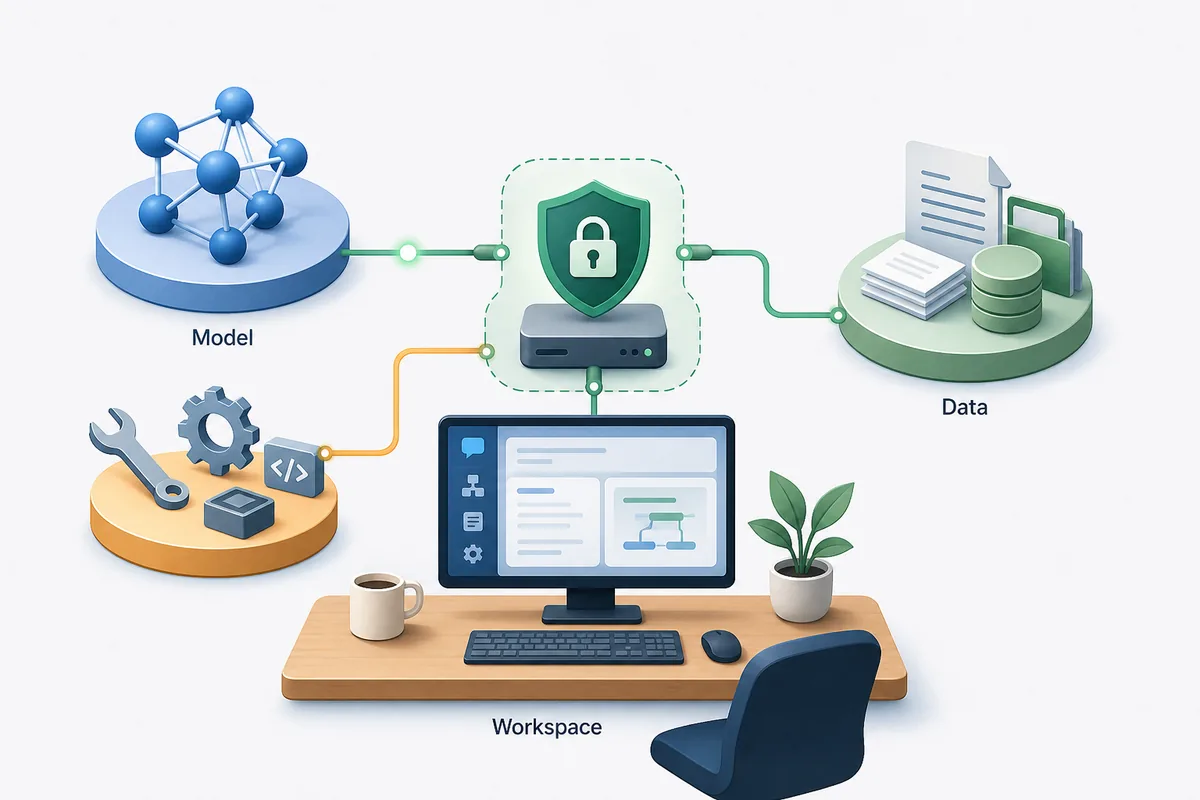
ローカルAIエージェントダッシュボードを探す人が必要としているのは、モデル名の一覧ではなく、Ollama、文書、ツール、エージェント作業を束ねる上位レイヤーの選び方です。
モデルではなく、ダッシュボードの役割から考える
ローカルモデル実行環境はプロンプトに答えます。一方でローカルAIエージェントダッシュボードは、チャット、ファイル、ツール呼び出し、メモリ、リサーチ、文書検索、サービス設定を反復可能な作業に整理します。
Odysseus AI を検討する人なら、まず目的を分けるべきです。エージェントや文書を含む広い self-hosted ワークスペースが必要なら Odysseus AI は試す価値があります。Ollama のチャット画面だけが必要なら、より軽いチャット中心ツールのほうが早い場合があります。
これはアーキテクチャ選定です。モデルの実行場所、ファイルの保存先、ログインできる人、必要なツール、運用負荷を決めてから選びます。
Best first filter
Choose a workspace dashboard for repeatable local AI work; choose a chat UI for simple prompting; choose an app builder when the goal is packaging workflows for other users.
Six checks that matter before you install a local AI agent dashboard
多くのローカルAIダッシュボードは見た目が似ています。違いは、ファイル追加、モデルルーティング、ツール実行、データ復旧、コンテナ更新、安全な公開を行う段階で出ます。
複数のダッシュボードを同時に入れる前に、以下の確認項目で実際の作業に合うかを判断します。
| 確認項目 | 見るべき点 | 注意サイン |
|---|---|---|
| Model routing | OpenAI-compatible endpoints, Ollama support, and clear base URL settings. | The app hides endpoint behavior or assumes one hosted provider. |
| Workspace depth | Agents, documents, research, notes, tasks, or repeatable flows if you need more than chat. | The dashboard is pleasant but becomes thin once you add real work. |
| Data location | Clear storage paths, volumes, backups, and export options. | You cannot tell where uploads, embeddings, credentials, or conversation history are stored. |
| Local exposure | Localhost-first setup, authentication, and deliberate reverse-proxy guidance. | A tutorial tells you to publish ports before changing credentials. |
| Maintenance | Readable Docker or native install flow, active releases, and plain upgrade steps. | A fragile install script is the only documented path. |
| Workflow fit | A product shape that matches your actual use: personal workspace, chat UI, knowledge base, or app builder. | You are installing a large platform for a one-person prompt box. |
Odysseus AI vs Open WebUI vs AnythingLLM vs Dify
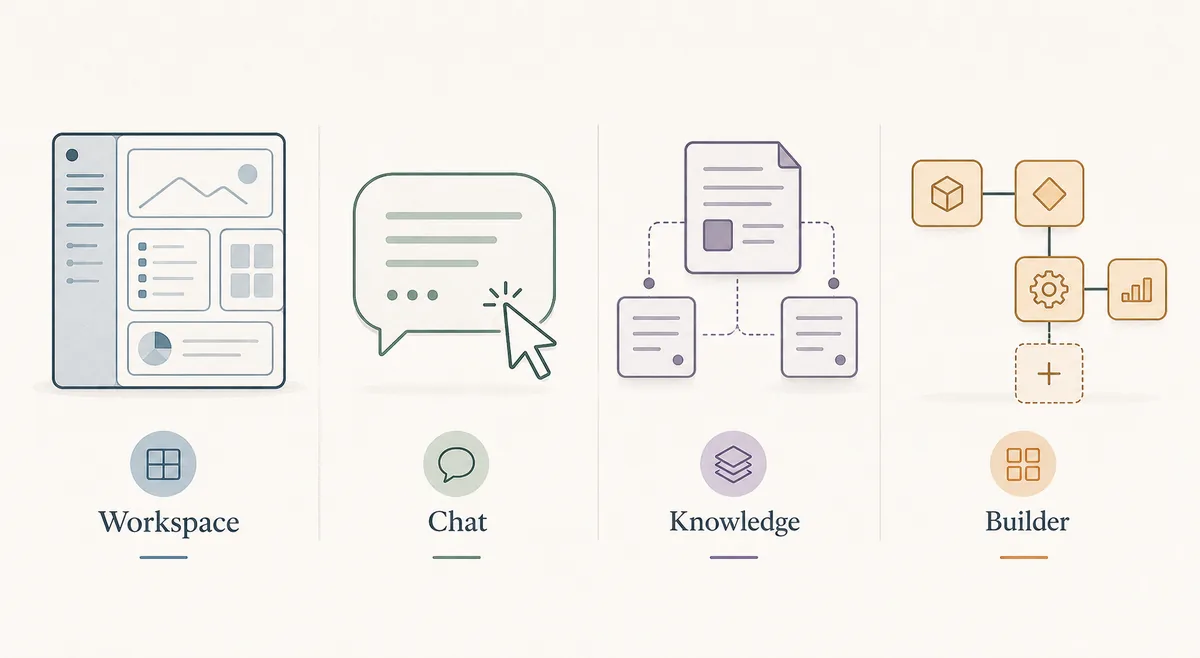
これらのツールには重なりがありますが、同じものではありません。Odysseus AI は、エージェント、文書、リサーチ、サービス設定をまとめる self-hosted ワークスペースとして検討できます。
正解が二層構成になることもあります。Ollama をモデル実行環境にし、その上に Odysseus AI のようなワークスペースを置き、最初は localhost に閉じて検証します。
| 選択肢 | 向いている用途 | トレードオフ | ローカル適性 |
|---|---|---|---|
| Odysseus AI | チャット、エージェント、文書、リサーチ、メモ、サービス設定を含む workspace。 | 単純なチャットUIより設定判断が多い。 | ローカル作業面が必要なら強い。 |
| Open WebUI | Ollama と相性の良いローカルチャット画面。 | エージェントの深さは設定次第。 | チャット中心なら強い。 |
| AnythingLLM | 非公開文書と知識ベース。 | 広いエージェント層には向きにくい。 | ファイル中心に強い。 |
| Dify | 再利用可能な LLM workflow を作るチーム。 | 個人 dashboard には重い場合がある。 | プロダクト化 workflow に強い。 |
| Ollama のみ | ローカルモデル提供と API テスト。 | dashboard でも workspace でもない。 | モデル層として必要だが UI としては不足。 |
When Odysseus AI is the right local workspace layer
Odysseus AI が合うのは、単にモデルを動かすだけでなく、プロバイダー、ファイル、エージェント、リサーチフローを一か所で扱いたい場合です。
文書もエージェントも不要で、ローカルモデルに短いプロンプトを送るだけなら、軽量なチャットUIのほうが現実的です。
機密性の高い作業では、self-hosted でも認証、ポート、バックアップ、ローカルエンドポイントの確認が必要です。
Good Odysseus AI fit
You want a local-first workspace where agents, documents, research, settings, and model endpoints can be managed in one place.
- You already know or are willing to learn the difference between model runtime, dashboard, and reverse proxy.
- You plan to use local models through Ollama or another OpenAI-compatible endpoint.
- You want document and research workflows, not only a single chat box.
- You are comfortable checking logs, ports, environment files, and update steps.
- You will keep the first install on localhost until authentication and data storage are understood.
A safe local setup plan for testing any dashboard
一晩で複数のダッシュボードを入れないでください。まずモデル層、次にダッシュボード、次にファイルやエージェント、最後に必要なネットワーク公開を確認します。
この順序は Odysseus AI でも他のローカルAIダッシュボードでも有効です。コマンドは違っても検証レイヤーは同じです。
1. Prove the model runtime
Start Ollama, LM Studio, or the model server you intend to use. Confirm it responds before connecting a dashboard.
ollama list
ollama run llama3.2
2. Install one dashboard at a time
Use the official repository or documentation. Avoid mixing copied commands from different versions.
3. Keep the first session local
Open the dashboard on localhost, change generated credentials, and avoid tunnels or public ports during first setup.
4. Add one real workflow
Upload a small non-sensitive document, configure one model endpoint, and test one agent or retrieval workflow before migrating private data.
5. Record storage and backup paths
Find where conversations, uploads, embeddings, and configuration live. A dashboard is not ready for real use until you know what must be backed up.
Common local AI dashboard mistakes
失敗の多くはレイヤーの混同から起きます。Ollama をワークスペースと考える、ダッシュボードをモデル実行環境と考える、localhost のソフトをそのまま公開する、といったミスです。
| Mistake | What happens | Better move |
|---|---|---|
| Choosing by screenshots | The UI looks good but lacks the workflow depth you need. | Compare by model routing, files, agents, storage, and maintenance. |
| Publishing ports too early | A private workspace becomes reachable before credentials and data paths are reviewed. | Keep localhost first; add reverse proxy and authentication deliberately. |
| Debugging prompts before endpoint health | You chase model behavior when the dashboard cannot reach the backend. | Test the model endpoint independently, then connect it in dashboard settings. |
| Ignoring backups | A rebuild or update can remove chats, uploads, or configuration. | Identify volumes, database files, and export paths before real use. |
| Installing a team platform for a personal notebook | You inherit maintenance without using the platform features. | Pick the smallest dashboard that still supports the workflow you actually need. |
ローカルAIエージェントダッシュボード FAQ
Sources and official docs
- Official Odysseus AI GitHub repository - Odysseus AI のセットアップファイル、README 更新、プロジェクト状況の一次情報です。
- Open WebUI documentation - ローカルAIチャット画面とデプロイ方法に関する公式ドキュメントです。
- AnythingLLM documentation - ワークスペース、文書、ローカルLLM機能の公式ドキュメントです。
- Dify documentation - open-source LLM app と workflow 構築の公式ドキュメントです。
- Ollama documentation - ローカルモデルサーバーと API endpoint の挙動を確認する資料です。
関連する Odysseus AI ガイド
- PewDiePie AI explained - Start here if you are still confirming what Odysseus AI is.
- Odysseus AI Ollama setup - Use this after choosing a dashboard and preparing the local model endpoint.
- Odysseus AI Docker setup - Run the Docker Compose path with ports, logs, volumes, and safe exposure checks.
- Odysseus AI Windows setup - Windows-specific setup notes for WSL2, Docker Desktop, firewall prompts, and endpoints.
Last updated: 2026年6月25日
Odysseus AI Wiki に戻る