Dashboard locale per agenti AI: 6 controlli prima di scegliere
Un confronto pratico per decidere se Odysseus AI, Open WebUI, AnythingLLM, Dify o una configurazione più leggera debba stare sopra il runtime dei modelli.

In questa guida
Chi cerca una dashboard locale per agenti AI deve scegliere il livello che collega modelli, documenti, strumenti e workflow, non solo un altro nome di modello.
Parti dal lavoro della dashboard, non dal modello
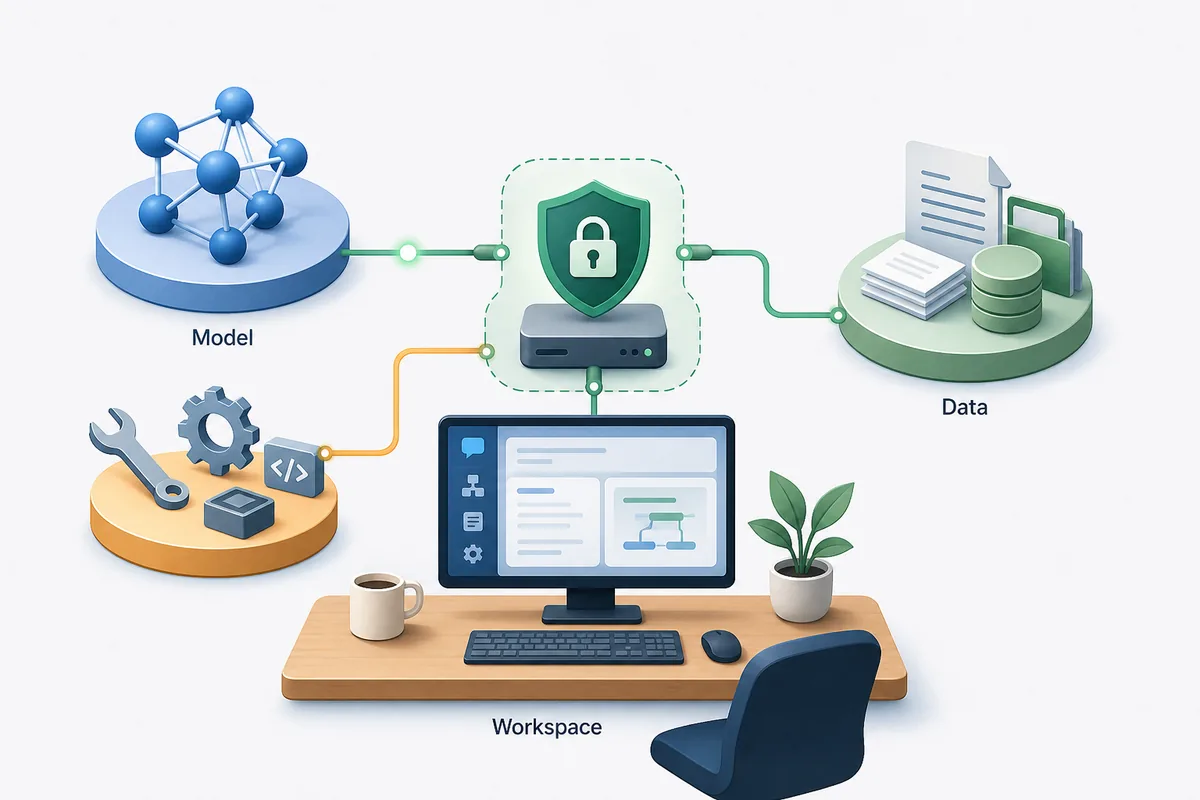
Un runtime locale risponde ai prompt. Una dashboard locale per agenti AI organizza quei prompt in lavoro ripetibile: chat, file, strumenti, memoria, ricerca, recupero documenti e configurazione dei servizi.
Per chi valuta Odysseus AI, la prima distinzione è semplice. Se vuoi un workspace self-hosted ampio con agenti e documenti attorno ai modelli locali, Odysseus AI merita un test. Se vuoi solo chat con Ollama, uno strumento più leggero può bastare.
Considera la scelta come architettura: dove girano i modelli, dove stanno i file, chi accede, quali strumenti servono e quanta manutenzione vuoi gestire.
Best first filter
Choose a workspace dashboard for repeatable local AI work; choose a chat UI for simple prompting; choose an app builder when the goal is packaging workflows for other users.
Six checks that matter before you install a local AI agent dashboard
Molte dashboard locali sembrano uguali negli screenshot. Le differenze reali emergono con file, routing dei modelli, strumenti, backup, aggiornamenti e rete.
Usa questi controlli prima di installare più dashboard insieme.
| Controllo | Cosa cercare | Segnale di rischio |
|---|---|---|
| Model routing | OpenAI-compatible endpoints, Ollama support, and clear base URL settings. | The app hides endpoint behavior or assumes one hosted provider. |
| Workspace depth | Agents, documents, research, notes, tasks, or repeatable flows if you need more than chat. | The dashboard is pleasant but becomes thin once you add real work. |
| Data location | Clear storage paths, volumes, backups, and export options. | You cannot tell where uploads, embeddings, credentials, or conversation history are stored. |
| Local exposure | Localhost-first setup, authentication, and deliberate reverse-proxy guidance. | A tutorial tells you to publish ports before changing credentials. |
| Maintenance | Readable Docker or native install flow, active releases, and plain upgrade steps. | A fragile install script is the only documented path. |
| Workflow fit | A product shape that matches your actual use: personal workspace, chat UI, knowledge base, or app builder. | You are installing a large platform for a one-person prompt box. |
Odysseus AI vs Open WebUI vs AnythingLLM vs Dify
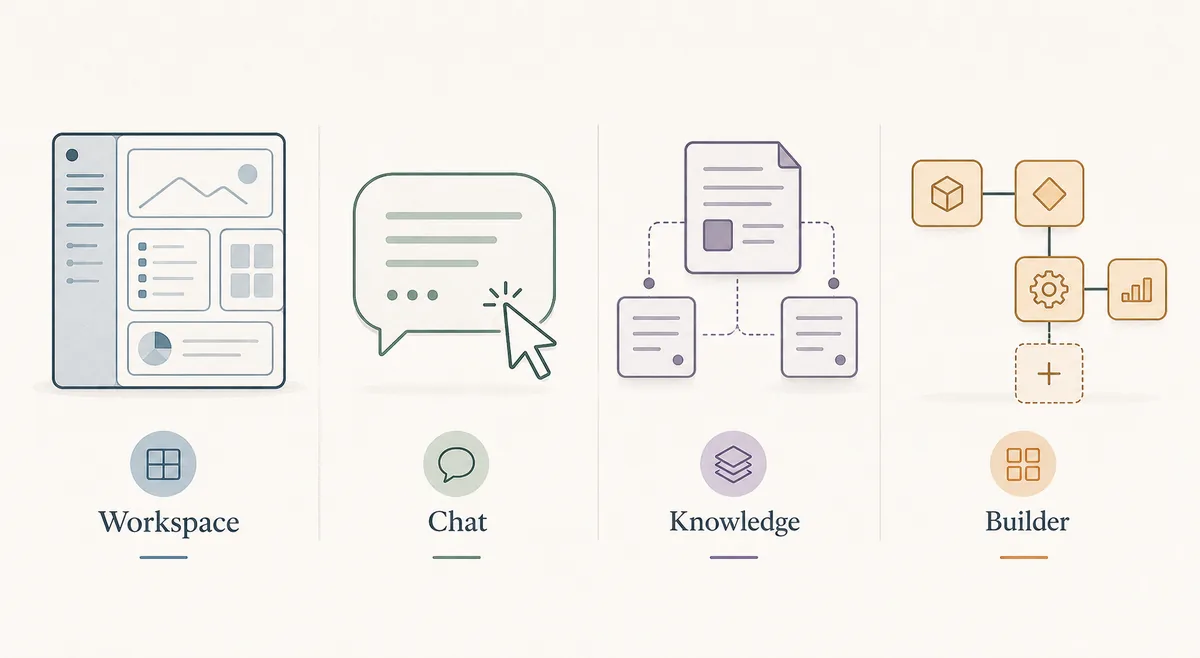
Gli strumenti si sovrappongono, ma non sono intercambiabili. Odysseus AI è interessante come workspace self-hosted per agenti, documenti, ricerca e servizi.
La soluzione giusta può avere due livelli: Ollama come runtime e un workspace sopra, mantenuto in localhost nel primo test.
| Opzione | Ideale per | Compromesso | Adatto in locale |
|---|---|---|---|
| Odysseus AI | Workspace self-hosted con chat, agenti, documenti, ricerca, note e servizi. | Più decisioni rispetto a una semplice UI di chat. | Forte se vuoi una superficie locale di lavoro. |
| Open WebUI | Chat locale curata, soprattutto con Ollama. | La profondità degli agenti dipende dalla configurazione. | Forte per chat locale. |
| AnythingLLM | Documenti privati e basi di conoscenza. | Meno ideale come ampio livello agentico. | Forte per lavoro basato su file. |
| Dify | Team che creano workflow LLM riutilizzabili. | Può essere pesante per uso personale. | Forte per workflow productizzati. |
| Solo Ollama | Servire modelli locali e testare API. | Non è dashboard né workspace. | Necessario come livello modello, incompleto come interfaccia. |
When Odysseus AI is the right local workspace layer
Odysseus AI è adatto quando il problema non è solo eseguire un modello, ma unire provider, file, agenti e flussi di ricerca.
Se vuoi solo inviare prompt a un modello locale, una UI di chat più leggera può essere più pragmatica.
Per dati sensibili, self-hosted richiede comunque controllo di credenziali, porte, backup ed endpoint.
Good Odysseus AI fit
You want a local-first workspace where agents, documents, research, settings, and model endpoints can be managed in one place.
- You already know or are willing to learn the difference between model runtime, dashboard, and reverse proxy.
- You plan to use local models through Ollama or another OpenAI-compatible endpoint.
- You want document and research workflows, not only a single chat box.
- You are comfortable checking logs, ports, environment files, and update steps.
- You will keep the first install on localhost until authentication and data storage are understood.
A safe local setup plan for testing any dashboard
Non installare quattro dashboard nella stessa sera. Verifica prima il modello, poi la dashboard, poi file o agenti, e solo alla fine la rete.
Questo ordine vale per Odysseus AI e per altri strumenti locali.
1. Prove the model runtime
Start Ollama, LM Studio, or the model server you intend to use. Confirm it responds before connecting a dashboard.
ollama list
ollama run llama3.2
2. Install one dashboard at a time
Use the official repository or documentation. Avoid mixing copied commands from different versions.
3. Keep the first session local
Open the dashboard on localhost, change generated credentials, and avoid tunnels or public ports during first setup.
4. Add one real workflow
Upload a small non-sensitive document, configure one model endpoint, and test one agent or retrieval workflow before migrating private data.
5. Record storage and backup paths
Find where conversations, uploads, embeddings, and configuration live. A dashboard is not ready for real use until you know what must be backed up.
Common local AI dashboard mistakes
Gli errori comuni nascono dal confondere i livelli: usare Ollama come workspace, considerare la dashboard un runtime, o pubblicare localhost troppo presto.
| Mistake | What happens | Better move |
|---|---|---|
| Choosing by screenshots | The UI looks good but lacks the workflow depth you need. | Compare by model routing, files, agents, storage, and maintenance. |
| Publishing ports too early | A private workspace becomes reachable before credentials and data paths are reviewed. | Keep localhost first; add reverse proxy and authentication deliberately. |
| Debugging prompts before endpoint health | You chase model behavior when the dashboard cannot reach the backend. | Test the model endpoint independently, then connect it in dashboard settings. |
| Ignoring backups | A rebuild or update can remove chats, uploads, or configuration. | Identify volumes, database files, and export paths before real use. |
| Installing a team platform for a personal notebook | You inherit maintenance without using the platform features. | Pick the smallest dashboard that still supports the workflow you actually need. |
FAQ sulle dashboard locali per agenti AI
Sources and official docs
- Official Odysseus AI GitHub repository - Fonte principale per file di installazione, aggiornamenti README e stato del progetto Odysseus AI.
- Open WebUI documentation - Documentazione ufficiale dell'interfaccia chat AI locale e delle opzioni di deployment.
- AnythingLLM documentation - Documentazione ufficiale per workspace, documenti e funzioni LLM locali.
- Dify documentation - Documentazione ufficiale per creare app e workflow LLM open source.
- Ollama documentation - Riferimento sul comportamento del server locale di modelli e degli endpoint API.
Guide correlate su Odysseus AI
- PewDiePie AI explained - Start here if you are still confirming what Odysseus AI is.
- Odysseus AI Ollama setup - Use this after choosing a dashboard and preparing the local model endpoint.
- Odysseus AI Docker setup - Run the Docker Compose path with ports, logs, volumes, and safe exposure checks.
- Odysseus AI Windows setup - Windows-specific setup notes for WSL2, Docker Desktop, firewall prompts, and endpoints.
Last updated: 25 giugno 2026
Torna a Odysseus AI Wiki