로컬 AI 코딩 에이전트: 코드에 접근시키기 전에 안전한 Odysseus AI 워크플로 만들기
로컬 모델, 실제 저장소, 명령 권한, 리뷰 지점을 Odysseus AI 작업 레이어로 다루는 실전 가이드입니다.

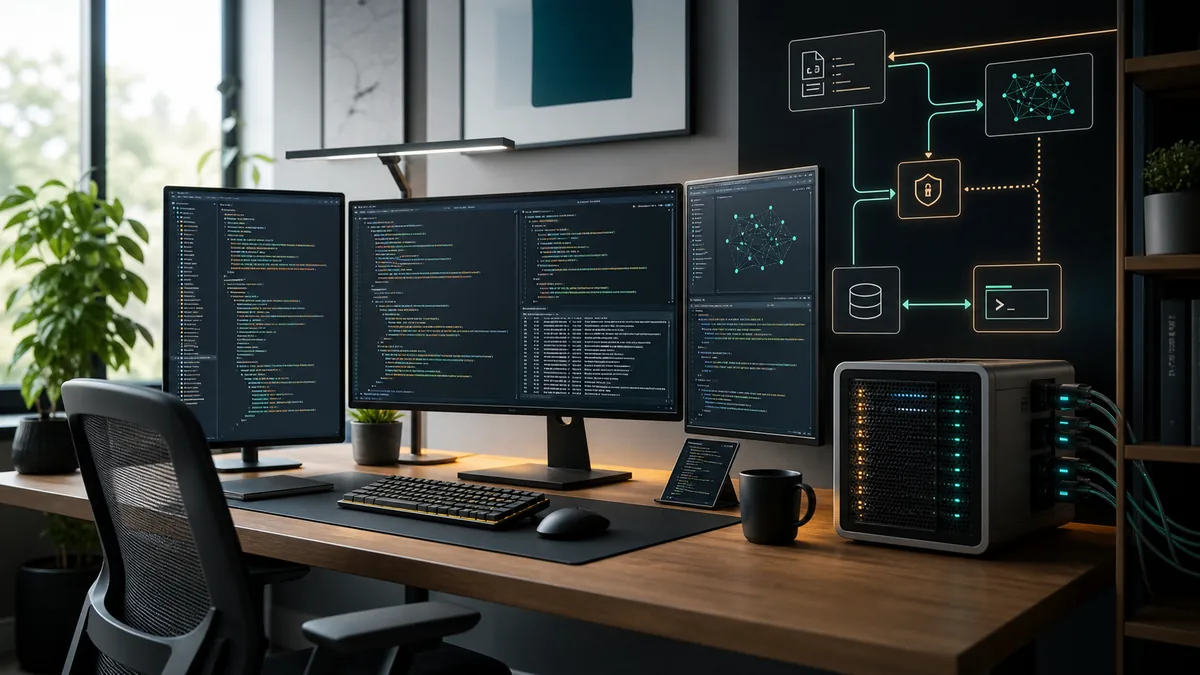
이 가이드에서 다루는 내용
로컬 AI 코딩 에이전트를 찾는 사람은 단순히 코드 조각을 쓰는 챗봇 이상을 원합니다. 유용한 형태는 저장소를 읽고, 변경을 설명하고, 패치를 제안하며, 허용된 경우에만 테스트를 실행합니다.
작업부터 정하기: 자율 유지보수가 아닌 코딩 도우미
로컬 AI 코딩 에이전트는 코드를 이해하고, 변경을 계획하고, 패치를 제안하고, 결과를 검증하도록 도와야 합니다. 처음부터 무제한 셸 권한이나 검토 없는 파일 변경을 주면 안 됩니다.
Odysseus AI는 셀프 호스팅 작업 레이어로 사용할 수 있습니다. 대화, 파일, 설정, 컨텍스트를 정리하고, Ollama나 OpenAI 호환 엔드포인트는 모델 실행 레이어로 분리합니다.
중요한 경계는 단순합니다. 모델은 변경을 제안하지만, 파일을 쓸 때와 명령을 실행할 때와 커밋을 게시할 때는 워크플로가 결정해야 합니다.
실전 규칙
권한보다 컨텍스트를 먼저 주세요. 읽고 설명하게 한 뒤, 쓰기와 명령은 단계적으로 허용합니다.
로컬 AI 코딩 에이전트 아키텍처
모델 런타임, 워크스페이스, 저장소 경계, 실행 레이어 네 가지로 나누어 생각하세요. 이 레이어가 섞이면 문제가 생깁니다.
깔끔한 구조는 저장소 정책을 바꾸지 않고 모델을 바꿀 수 있게 하며, Odysseus AI를 작업 표면으로 안전하게 시험하게 합니다.
| 레이어 | 목적 | 처음 안전 설정 | 생략 시 위험 |
|---|---|---|---|
| Model runtime | Runs the coding-capable model and exposes an endpoint. | Start on localhost with one known model. | You debug agent behavior when the model endpoint is actually broken. |
| Workspace | Holds conversations, documents, settings, and task context. | Use Odysseus AI or another dashboard with explicit endpoint settings. | The assistant sees too little context or stores data where you did not expect. |
| Repository boundary | Defines what code the agent may inspect or modify. | Open one non-sensitive repo first. | Secrets, unrelated folders, or generated files leak into prompts and patches. |
| Execution layer | Runs tests, formatters, package managers, and Git commands. | Require human approval for write and shell actions. | A bad command can modify files, install packages, or expose data before review. |
키워드 범위: local LLM coding, local agents, 섞지 말아야 할 의도
Similarweb은 이 페이지가 넓은 local AI coding agent 가이드로 남아야 함을 보여줍니다. related tab의 “local LLM for coding”은 최근 약 6,750, average 약 2,248, difficulty 29였습니다. 이는 모델/runtime 선택을 돕는 강한 보조 주제이지, 주제를 대체하지 않습니다.
“local agent”도 최근 약 1,310, difficulty 3으로 나오지만 너무 모호합니다. “local LLM agentic coding”과 “best AI model for local agentic coding”은 workflow와 모델 선택 조언에 쓰는 것이 적절합니다.
모델만으로 workflow가 완성되지 않습니다
더 좋은 local LLM은 도움이 되지만 repository 경계, secret 처리, 명령 승인, 검증이 agent 안전성을 결정합니다.
| 후보 키워드 | Similarweb tab 및 지표 | 의도 적합도 | 판단 |
|---|---|---|---|
| local LLM for coding | Related; ~6,750 / KD 29 | Strong support | Section |
| local agent | Related; ~1,310 / KD 3 | Ambiguous | Anchor only |
| local LLM agentic coding | Related; ~810 / KD 21 | Workflow fit | Support |
| ai coding agents full local | Phrase + related | Niche fit | FAQ |
| best AI model for local agentic coding | Model-choice intent | Support | FAQ |
| Cursor Ollama | Editor-specific | Sibling owns it | Related link |
코드를 연결하기 전 체크리스트
가장 중요한 비공개 저장소부터 시작하지 마세요. 작은 프로젝트에서 모델 품질, 경로, 명령, 권한 동작을 확인하세요.
이 체크리스트는 특정 UI가 아니라 경계를 보호하기 위해 보수적으로 구성했습니다.
- 대시보드를 열기 전에 간단한 프롬프트로 모델 엔드포인트를 확인합니다.
- 전용 작업 폴더를 만들고 사용자 디렉터리 전체를 마운트하지 않습니다.
- .env, API 키, DB 덤프, 비공개 로그를 첫 컨텍스트에서 제외합니다.
- 초기 설정에서는 대시보드와 모델을 localhost에 둡니다.
- 채팅, 업로드, 임베딩, 설정이 저장되는 위치를 확인합니다.
- 변경을 요청하기 전에 Git 상태가 깨끗한지 확인합니다.
- 일반 테스트와 포매터를 한 번 실행해 기준 상태를 압니다.
모델 크기보다 권한 게이트가 중요합니다
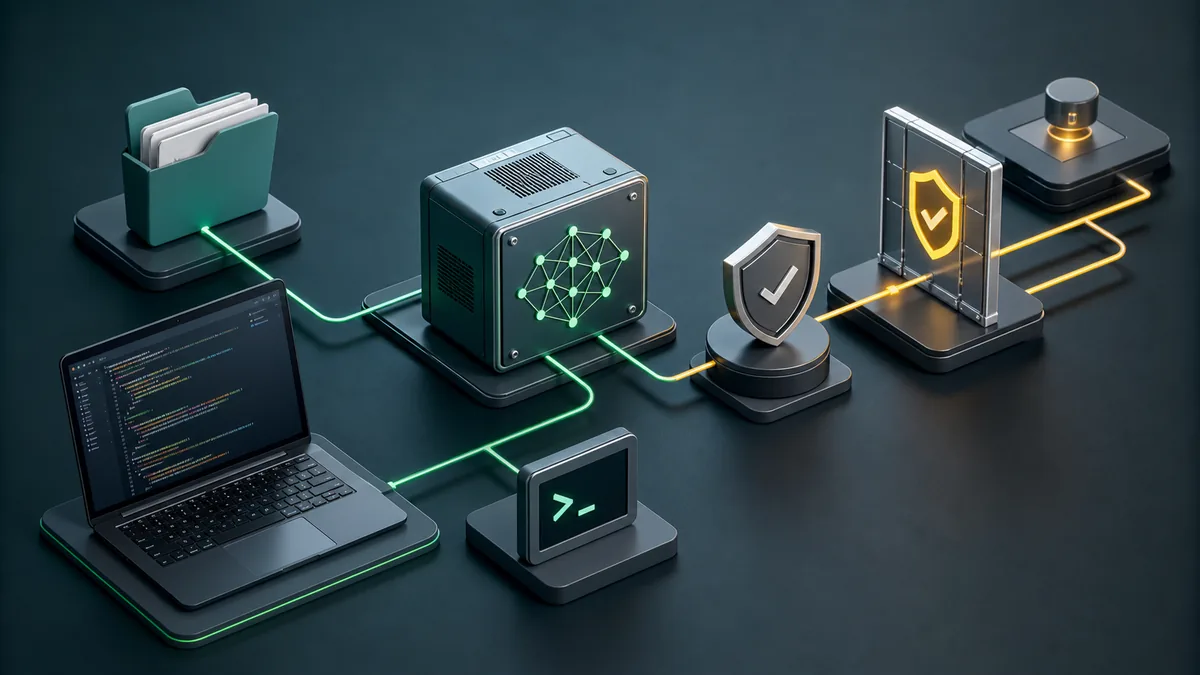
큰 모델은 더 나은 패치를 만들 수 있지만 영향 범위는 권한이 정합니다. 자유로운 터미널은 설치, 삭제, 데이터 노출로 이어질 수 있습니다.
읽기, 쓰기, 실행, Git을 분리하세요. 읽기부터 시작하고, 쓰기와 명령은 보이는 방식으로 승인합니다.
| 권한 | 처음에는 | 나중에 허용할 때 |
|---|---|---|
| Read repository | A small project folder without secrets. | You have a .gitignore, clean status, and clear context boundaries. |
| Write files | One scoped change at a time. | The agent can explain the patch and you can review the diff. |
| Run commands | Read-only checks or known test commands. | You understand the command and it stays inside the project. |
| Install packages | Avoid during first tests. | A dependency change is part of the task and lockfile changes are reviewed. |
| Commit and push | Manual only. | Validation passed and the diff contains only intended files. |
에이전트를 유용하게 유지하는 일상 워크플로
작은 목표, 파일 조사, 계획, 제한된 수정, 검증, diff 리뷰라는 반복 가능한 흐름이 가장 좋습니다.
Odysseus AI는 컨텍스트, 노트, 모델 라우팅에 쓰고, 명령은 통제된 실행 레이어에서 다루세요.
-
State the change boundary
Name the feature, bug, or file area. Avoid broad prompts like 'clean up the repo' until the agent has proven itself.
-
Let the agent inspect before editing
Ask for existing patterns, routes, tests, and build commands. Good coding assistance starts with context.
-
Approve a narrow edit
Small patches are easier to review and revert. Keep unrelated refactors out of the first pass.
-
Run targeted checks
Use the project's real build, tests, linters, or browser checks. Do not accept a patch that was never exercised.
-
Review Git status before publishing
Generated files, caches, profiles, and build artifacts need explicit handling. Commit only what belongs to the task.
로컬 AI 코드 에이전트의 흔한 실수
대부분의 실패는 너무 이른 넓은 권한에서 옵니다. 알려진 프로젝트, 알려진 명령, 보이는 diff 안에서 쓸수록 안전합니다.
| 실수 | 왜 문제인가 | 더 나은 방법 |
|---|---|---|
| Mounting the whole home folder | The agent can read unrelated files and secrets. | Open only the target workspace. |
| Skipping baseline tests | You cannot tell whether the agent broke something or inherited a failing project. | Run the project's normal checks before edits. |
| Letting the model choose commands blindly | Package installs, migrations, or cleanup commands may have side effects. | Approve each command and keep it project-scoped. |
| Committing generated clutter | Caches and profiles pollute source history and CI. | Inspect git status and ignore temporary validation artifacts. |
| Confusing model quality with workflow safety | A smart model can still act on bad permissions. | Keep approval gates even when the model is strong. |
로컬 AI 코딩 에이전트 FAQ
Sources and official docs
- Official Odysseus AI GitHub repository - Primary source for current project files, setup notes, and workspace positioning.
- Ollama API documentation - Reference for local model server endpoints used by many self-hosted workflows.
- Git documentation - Reference for repository, diff, commit, and status behavior in coding workflows.
- OpenAI Model Context Protocol overview - Useful background for tool/context boundaries in agentic workflows.
관련 Odysseus AI 가이드
- 16GB RAM용 로컬 코딩 모델 - 메모리와 컨텍스트 예산으로 7B와 14B를 선택하세요.
- Cursor Ollama coding agent - Cursor 또는 VS Code에서 Ollama endpoint로 시작하는 로컬 코딩 워크플로에 맞춘 가이드입니다.
- Local AI agent dashboard - Choose the workspace layer before building a coding workflow.
- Odysseus AI Ollama setup - Connect Odysseus AI to a local model endpoint without localhost confusion.
- Odysseus AI Docker setup - Use Docker Compose, volumes, ports, and safe local defaults.
- Odysseus AI Windows setup - Handle WSL2, Docker Desktop, firewall prompts, and local endpoints on Windows.
최종 업데이트: 2026년 7월 4일
Odysseus AI Wiki로 돌아가기