OpenCode Ollama設定:providerを手順どおり確認する
provider、base URL、モデルtag、context、repository権限を混同せずにOpenCodeとOllamaを接続するガイドです。

このガイドの内容
OpenCode Ollama設定ではprovider設定とモデル選択を分けて考えると切り分けやすくなります。OpenCodeはcoding agentの画面、Ollamaはローカルモデルを提供するサーバーで、configはテストしているruntimeから到達できる既存モデルを指す必要があります。このページではlauncher、手動config、context、providerエラー、安全な最初のrepository作業を扱います。
OpenCode Ollama設定は一つのprovider経路から始める
OpenCode Ollama設定という検索には、Ollamaを見つける方法、使うbase URL、要求するモデルtagという三つの判断が含まれます。providerエラーをモデル問題と混同しないよう、一度に一つだけ変更します。
launcherがprovider entryを作る場合は、別のproviderを追加する前に生成されたconfigを確認します。手動設定なら、まず一つのローカルモデルと機密ファイルのないrepositoryで試します。
OpenCode Ollamaのプロバイダーとモデルの前提
opencode.jsonを編集する前に、Ollamaが起動し、対象モデルがollama listにあり、OpenCodeが同じendpointへ到達できることを確認します。provider名が正しくても、モデルがない、またはnetwork namespaceが違えば動きません。
小さなテストでは、editor、repository context、OSのメモリを残せるモデルを選びます。大きいtagが常に良いOpenCode workflowになるわけではありません。
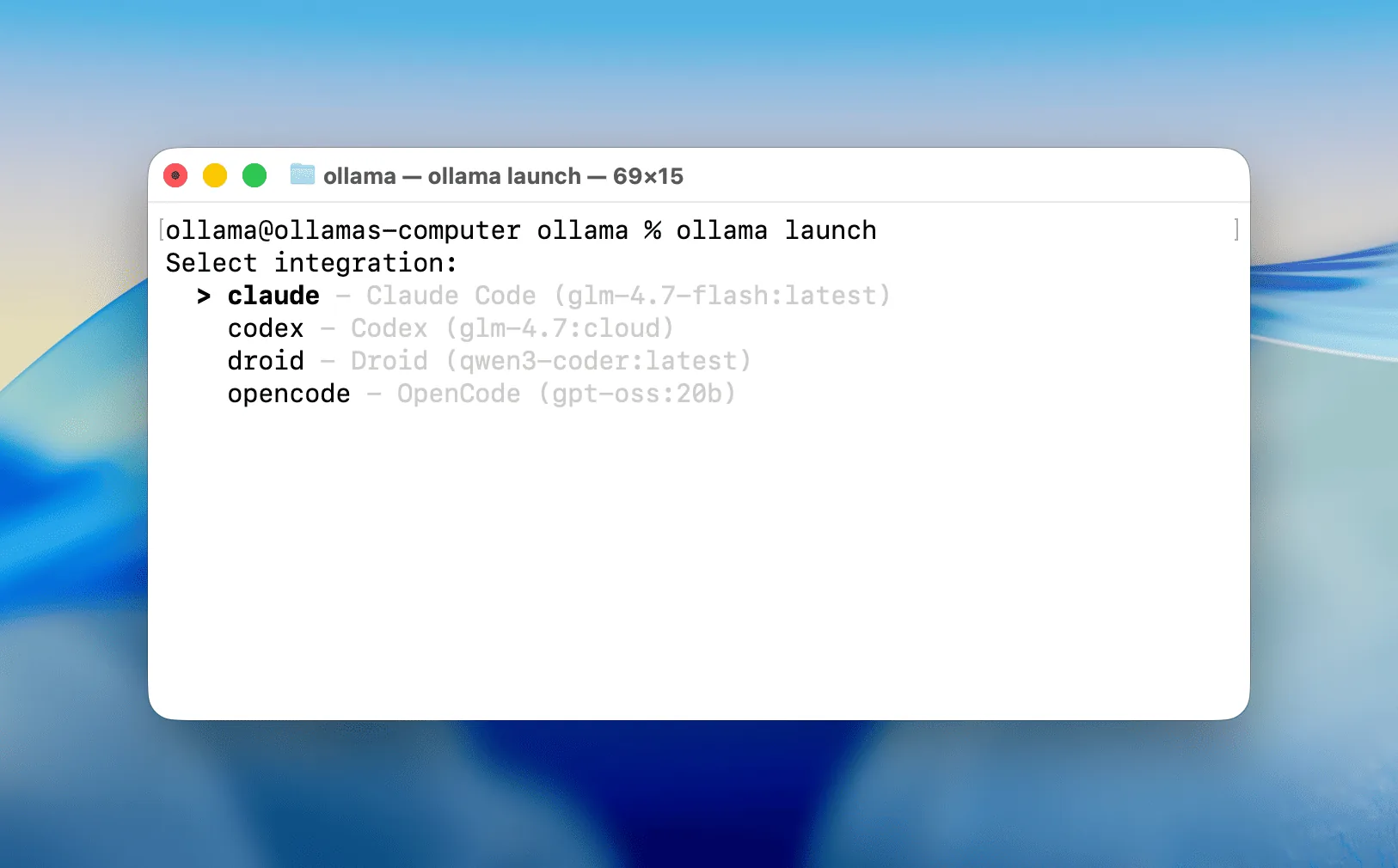
launcher が設定する内容
interactive menu で OpenCode と推奨 model を選ぶと Ollama-backed 接続が準備されます。
local model は RAM/VRAM を使い、cloud model は local 負荷を減らす代わりに internet と data transfer が必要です。
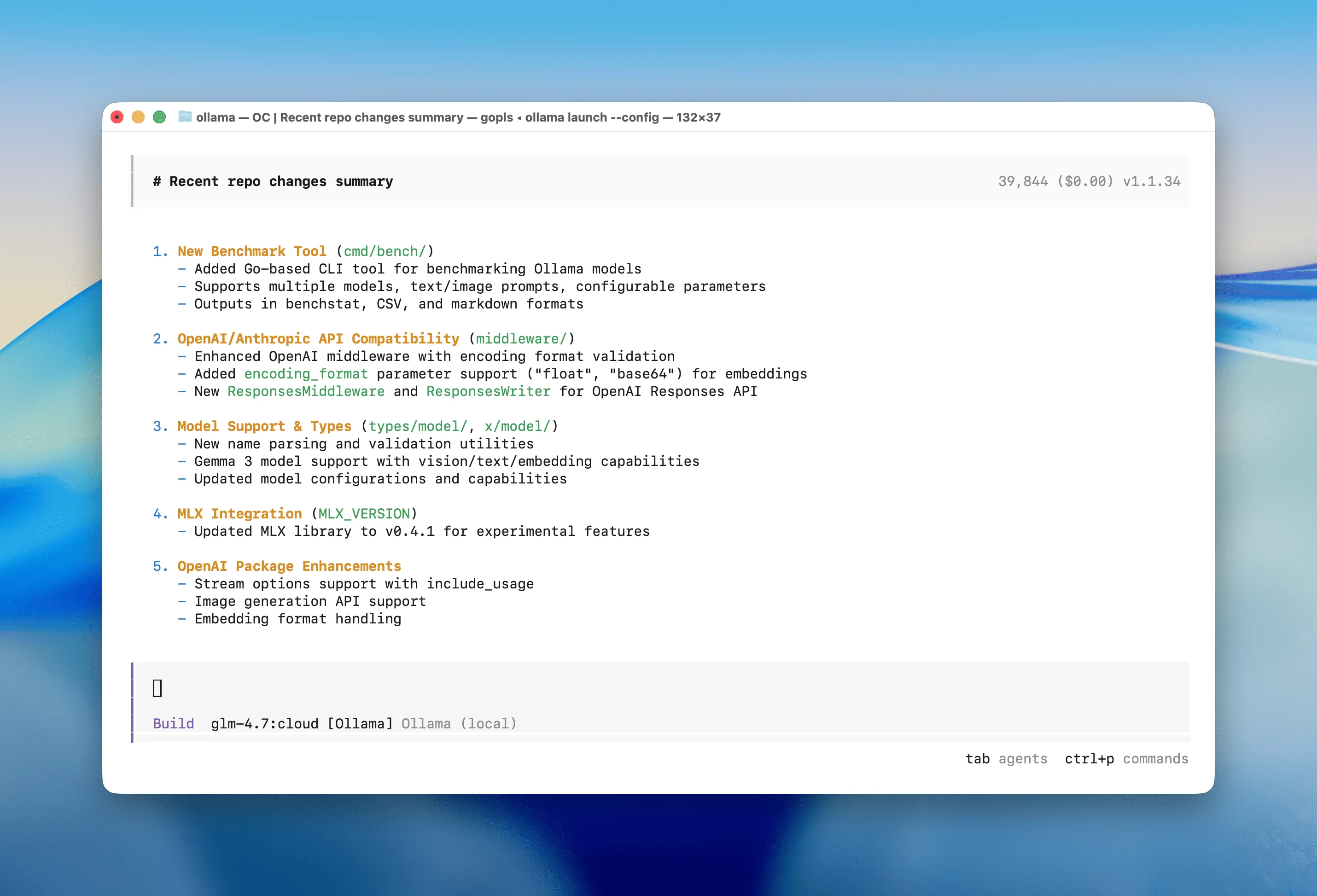
手動OpenCode Ollama設定:プロバイダー、ベースURL、モデル
launcherが必要なproviderを作らない場合やconfigをレビューしたい場合は手動設定を使います。provider key、base URL、モデルtagを明示し、toolや大きなcontextを追加する前に最小のrequestをテストします。
モデルtagはollama listで確認した値として扱います。tagが間違っていればcontextや権限を変えても直りません。
{
  "$schema": "https://opencode.ai/config.json",
  "provider": {
    "ollama": {
      "npm": "@ai-sdk/openai-compatible",
      "name": "Ollama (local)",
      "options": { "baseURL": "http://localhost:11434/v1" },
      "models": { "your-model": { "name": "your-model" } }
    }
  }
}
OpenCode Ollama接続後にcontextを調整する
大きなcontext windowはprovider接続とは別の最適化です。まずモデルが応答することを確認し、メモリと応答時間に余裕がある場合だけcontextを増やします。
最初の例では小さなファイルを読み、変更理由とpatchを示すよう依頼し、writeを許可する前に確認します。provider、モデル、repository権限の境界が見えやすくなります。
FROM your-model
PARAMETER num_ctx 65536
OpenCode用のOllamaモデルを選ぶ
モデル選択はRAM、context、coding能力、遅延で決まります。parameter数だけで判断せず、実際のマシンで安定してcoding taskを完了できるかを比較してください。
| 状況 | 最初の選択 | 理由 |
|---|---|---|
| RAM が少ない | 小型 local coding model | context と editor の余裕を残す |
| 強い GPU | 大型 local model | latency が許容できれば reasoning を強化 |
| 大規模 repository | Ollama cloudモデル | local memory 制限を回避。internet が必要 |
| 機密 repository | local model と限定権限 | data と command risk を抑える |
OpenCode Ollamaのプロバイダーと設定エラーを切り分ける
OpenCodeからOllamaを呼べないときは、provider key、base URL、モデルtag、Ollamaプロセス、runtime networkの順に確認します。native terminalで動いてcontainerやremote processで失敗するなら、そのruntime用のendpointが必要です。
providerは接続するのに応答が空、または無効な場合は、モデルtagを確認し、contextを変える前にrequestを小さくします。
OpenCode Ollama設定後の安全な最初の作業
設定が通ったら、最初はread-onlyのrepository作業から始めます。説明、patch案、test planを先に求め、writeやshell actionを許可する前にdiffを確認します。
provider設定を超える判断は、既存のローカルコーディングエージェントやメモリ関連の記事へ進みます。このページはOpenCodeとOllamaの設定経路に集中させます。
OpenCode Ollama設定 FAQ
公式設定資料
- OllamaとOpenCodeの連携 - quick launch、manual config、context の公式説明。
- Ollamaの起動機能に関する発表 - launcher の公式発表。
- OpenCode Ollamaのプロバイダー文書 - Ollama provider の公式設定。
- Ollamaのコンテキスト長に関する文書 - context size の公式ガイド。
関連するlocal codingとOllamaガイド
- ローカルAI coding agentのworkflow - provider設定からrepository context、権限、patch、test、reviewへ進むガイドです。
- 16GB RAM向けローカルcoding model - OpenCode全体のworkflowにメモリを残せるモデルクラスを選びます。
- Cursor と Ollama - editor-first と OpenCode terminal を比較します。
- Odysseus AI Ollama設定 - workspace全体でOllamaを使う場合のDocker-to-hostとnative endpointを比較します。
- OpenCodeとOllamaの比較 - プロバイダー設定の前に、コーディングエージェントとローカルモデルの役割を比べます。
最終更新日:2026年8月13日
Odysseus AI Wiki に戻る