How Private Is Odysseus AI? Models, Data, and Network Risks
A source-based guide to local models, connected providers, account data, and the network choices that shape a self-hosted workspace.


On this page
- What privacy means for an AI workspace
- What stays local with a local model
- Where connected features send data
- Why network exposure is separate
- Accounts, admin access, and tools
- A practical privacy review
- How private is Odysseus AI for each workflow?
- What this review cannot prove
- Odysseus AI privacy FAQ
How private is Odysseus AI? The answer depends on which model and integrations you enable, where the application is reachable, and who can use its admin tools. The official security page says prompts and completions stay on your hardware with local backends such as Ollama, llama.cpp, and vLLM. That statement describes model traffic; it is not a blanket promise that every feature, device, or provider keeps all data local.
What privacy means for an AI workspace
A self-hosted application changes who operates the workspace, but it does not remove every other party from a workflow. It helps to separate four boundaries: the computer or server that stores the workspace, the model that receives a prompt, external services that a feature contacts, and the network users who can reach the application. Each boundary answers a different privacy question.
For example, a local model may answer a prompt without sending that prompt to a hosted model company. A search feature can still send a query to SearXNG and upstream search engines, while a calendar integration can contact the configured calendar server. A reverse proxy or public port can also change who can reach the workspace, regardless of where inference happens. Ask which component receives each input instead of treating self-hosted as a single privacy setting.
What stays local when you use a local model
The official Odysseus AI security page says that with local backends such as Ollama, llama.cpp, or vLLM, prompts and completions stay on your hardware. It also says conversations, documents, memory, and email caches live in the application's `data/` directory. This is the clearest basis for saying that local inference can avoid sending model prompts and responses to a remote inference provider.
The scope matters. A local model describes the inference endpoint, not every feature in the application. If you ask for web research, invoke a cloud model for one task, sync mail, or use a remote embedding or model endpoint, that operation has its own destination. Your operating system, backups, disk, browser, and administrators also remain part of the trust boundary. Local storage is still storage that needs access control and backup decisions.
The official page states that the project has no telemetry or phone-home analytics in its code. This is a project statement, not an independent measurement of provider retention, host logs, or every modified deployment.
Where connected features send data
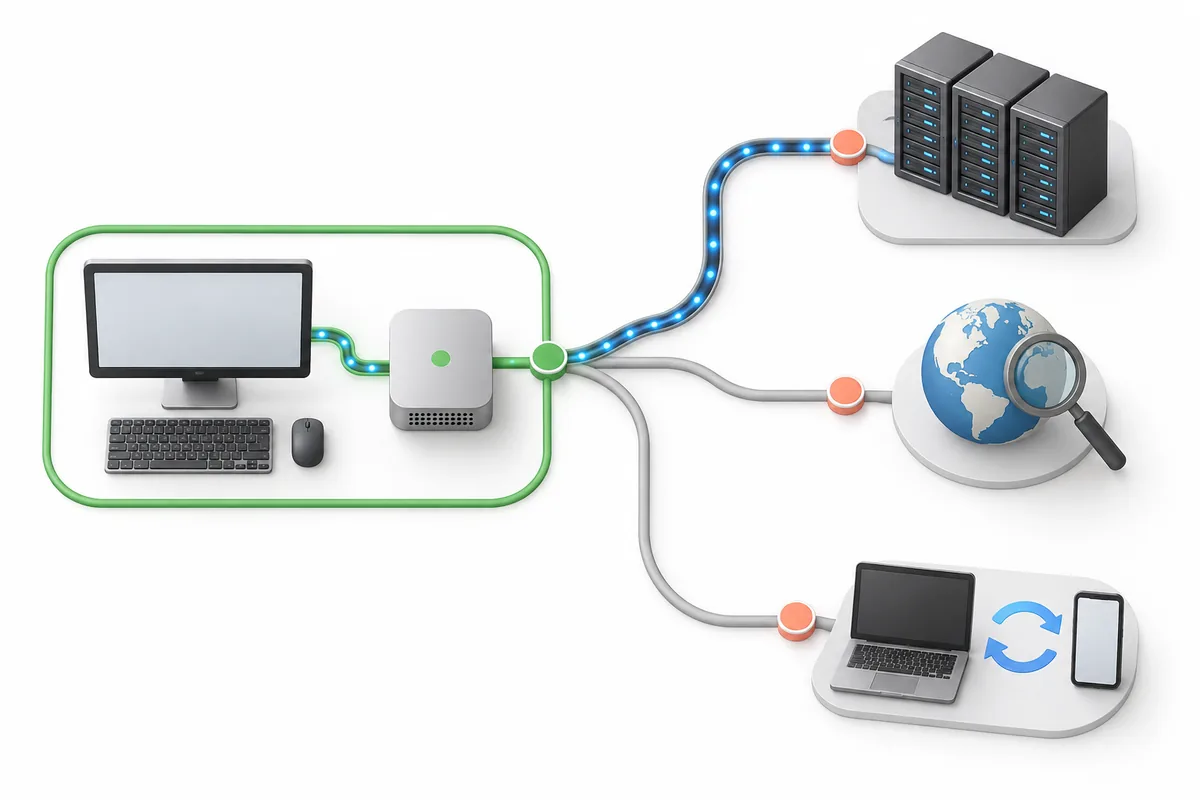
How private is Odysseus AI when you enable integrations? It depends on the action. The official documentation describes cloud model providers receiving prompts sent to them, web search passing queries through SearXNG to upstream search engines, and email or CalDAV synchronization communicating with the configured mail or calendar servers. Those are expected data routes, not evidence that every request is copied to every service.
Before using a sensitive task, identify its route: which model endpoint is selected, whether search is enabled, which account is connected, and whether a tool will create an external side effect. The route illustration below is conceptual. It separates destinations so you can check the selected feature and its configuration in the actual deployment rather than inferring behavior from the picture.
| Workflow | Documented destination | Privacy check |
|---|---|---|
| Local inference | Local Ollama, llama.cpp, or vLLM backend | Confirm the selected endpoint is on a host you control. |
| Cloud inference | The selected model provider | Review provider terms and avoid sending data you cannot share. |
| Web search | SearXNG, then upstream search engines | Keep queries free of names, secrets, or private document text. |
| Mail or calendar sync | The configured account server | Connect only the account and scope needed for the task. |
Why network exposure is a separate risk
A locally hosted model does not decide who can open the workspace. The official security page says the Docker setup binds the application, ChromaDB, SearXNG, and ntfy to `127.0.0.1` by default. It warns that setting `APP_BIND=0.0.0.0` is for an intentional LAN or reverse-proxy setup and should be paired with matching allowed origins. A listening address changes reachability; it does not make an exposed service safe on its own.
The project's threat model describes Odysseus as designed for trusted users on a private network and says to treat it like an admin console. It asks operators not to expose an unauthenticated public service. Keep service ports internal, avoid direct port forwarding to the public internet, and put remote access behind a private access layer such as Tailscale, Cloudflare Access, or WireGuard when that fits your environment.
For access beyond localhost, review the reverse proxy, HTTPS, allowed origins, authentication, and firewall together. Check which service a bind setting affects; widening container mappings can expose a database or search service along with the app.
Keep model location and application reachability separate
A local model can coexist with an internet-facing workspace, and a private network can still use a remote model. Check both boundaries independently.
Accounts, admin access, and tool permissions
The official security material describes multi-user roles, TOTP two-factor authentication, password hashing, session checks, and admin-only controls for privileged tools. It recommends keeping authentication enabled and localhost bypass disabled outside local development. These controls can reduce unauthorized access, but they do not prevent an authorized administrator from using the powerful capabilities assigned to that account.
That distinction is explicit in the threat model: a logged-in admin can run shell commands, read and write files, send email, and control model serving. The document focuses on unauthenticated access, privilege boundaries, prompt injection through untrusted content, and internal services becoming reachable from outside the host. It does not try to stop an admin from exercising intended admin powers.
The threat model also describes approval and prompt-security protections for untrusted web or email content. They are defenses, not proof that every attack is impossible. Use a non-admin account for ordinary work, limit administrator access, and rotate leaked credentials or tokens.
A practical privacy review before real work
Use a short review before connecting personal accounts or placing confidential material in the workspace. The aim is to understand the path and reduce unnecessary exposure, not to certify the installation as secure. Start with a low-risk test prompt and confirm each service that becomes active.
-
Choose the inference endpoint
Check whether the selected model is local or hosted. For local use, verify the endpoint address points to the Ollama, llama.cpp, or vLLM service you control.
-
Review integrations
List search, mail, calendar, notification, and remote model connections. Disable what the task does not need and understand the destination of each enabled feature.
-
Limit access
Keep authentication enabled, avoid localhost bypass outside development, use separate accounts, and reserve administrator roles for people who need them.
-
Check ports and proxy
Confirm what binds to loopback and what is exposed on the LAN. Keep internal service ports private and protect remote access with a deliberate access layer.
-
Protect local data
Restrict access to the `data/` directory, understand where backups are stored, and secure copied archives as carefully as the running host.
-
Test with non-sensitive content
Run a harmless search or model prompt, observe the configured destination, and verify that authentication and tool approval behave as expected before real work.
How private is Odysseus AI for different workflows?
A local summary, a cloud-model prompt, web research, and a mail action have different destinations. For teams, decide which data classes may use local inference, which may go to an approved provider, and which integrations require approval. Recheck those choices after changing endpoints or network rules.
What this review cannot prove
This article summarizes the official security page and threat model checked on October 23, 2026; it is not a penetration test, code audit, legal assessment, or provider guarantee. Official telemetry and local-inference statements have not been independently verified here. Behavior also depends on your commit, configuration, integrations, and operator practices. Check the current documentation and deployment before relying on a control.
Odysseus AI privacy FAQ
Official sources
- Odysseus AI Security - Model and provider data flow, authentication, network defaults, and operator guidance.
- Odysseus AI THREAT_MODEL.md - Trust assumptions, threat boundaries, and non-goals.
- Odysseus AI repository - Check current setup instructions and configuration before changing a deployment.
Related guides
- How to run Odysseus AI - Choose a run method and verify the first workspace session.
- Odysseus AI Docker setup - Review the container setup and service boundaries.
- Odysseus AI download guide - Find the official source and verify what you install.
Last checked against official security documentation: October 23, 2026
Back to home