Lokaler KI-Coding-Agent: Baue einen sicheren Odysseus-AI-Workflow, bevor er Code ändert
Ein praktischer Leitfaden für Odysseus AI als Workspace-Schicht rund um lokales Modell, echtes Repository, Befehlsrechte und Review-Punkte.

In diesem Leitfaden
Wer nach einem lokalen KI-Coding-Agent sucht, meint meist mehr als einen Chatbot für Codeschnipsel. Die nützliche Variante liest ein Repository, erklärt Änderungen, entwirft Patches, führt erlaubte Tests aus und hält privaten Code nah an der eigenen Maschine.
Beginne mit der Aufgabe: Coding-Assistent, kein autonomer Maintainer
Ein lokaler KI-Coding-Agent soll Code erklären, Änderungen planen, Patches entwerfen und Ergebnisse prüfen. Er sollte nicht mit freiem Shell-Zugriff oder ungeprüften Dateiänderungen starten.
Odysseus AI passt als selbst gehostete Workspace-Schicht. Es organisiert Gespräche, Dateien, Einstellungen und Kontext, während Ollama oder ein anderer OpenAI-kompatibler Endpoint das Modell ausführt.
Die Grenze ist entscheidend: Das Modell schlägt Änderungen vor, aber dein Workflow entscheidet, wann Dateien geschrieben, Befehle ausgeführt und Commits veröffentlicht werden.
Praktische Regel
Gib zuerst Kontext, dann Macht: Lesen und Erklären zuerst, Schreiben und Befehle später.
Architektur eines lokalen KI-Coding-Agenten
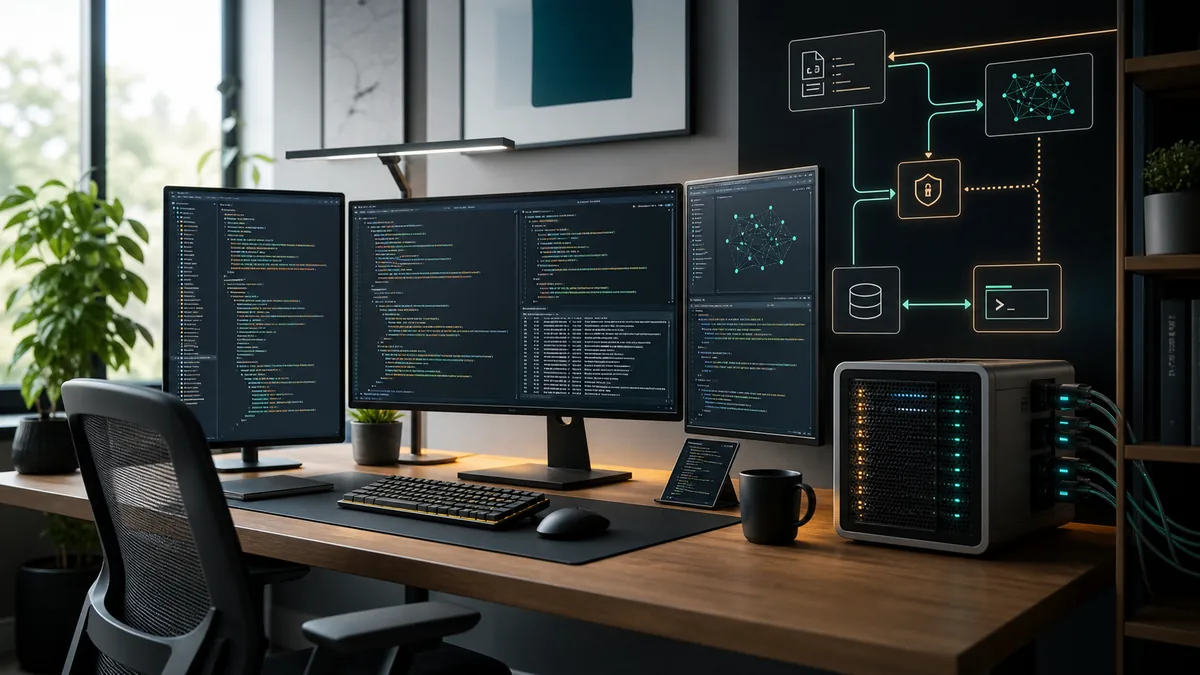
Denke in vier Schichten: Modellruntime, Workspace, Repository-Grenze und Ausführungsschicht. Fehler entstehen, wenn diese Schichten vermischt werden.
Eine saubere Architektur erlaubt Modellwechsel ohne neue Repository-Policy und lässt Odysseus AI testen, während der Modellendpoint lokal bleibt.
| Schicht | Zweck | Sichere Starteinstellung | Risiko ohne Prüfung |
|---|---|---|---|
| Model runtime | Runs the coding-capable model and exposes an endpoint. | Start on localhost with one known model. | You debug agent behavior when the model endpoint is actually broken. |
| Workspace | Holds conversations, documents, settings, and task context. | Use Odysseus AI or another dashboard with explicit endpoint settings. | The assistant sees too little context or stores data where you did not expect. |
| Repository boundary | Defines what code the agent may inspect or modify. | Open one non-sensitive repo first. | Secrets, unrelated folders, or generated files leak into prompts and patches. |
| Execution layer | Runs tests, formatters, package managers, and Git commands. | Require human approval for write and shell actions. | A bad command can modify files, install packages, or expose data before review. |
Keyword-Scope: local LLM coding, lokale Agents und was nicht vermischt werden sollte
Similarweb bestätigt, dass diese Seite der breite Guide für local AI coding agent bleiben sollte. “local LLM for coding” zeigt etwa 6.750 aktuelles Volumen, Durchschnitt 2.248 und Schwierigkeit 29. Das ist ein starkes Support-Thema zur Modell-/Runtime-Wahl, aber nicht der Ersatz für den Hauptintent.
“local agent” hat etwa 1.310 aktuelles Volumen und sehr niedrige Schwierigkeit, ist aber zu mehrdeutig. “local LLM agentic coding” und “best AI model for local agentic coding” passen als Workflow- und Modellwahl-Unterthemen.
Modellwahl ist nicht der ganze Workflow
Ein besseres lokales LLM hilft, aber Repo-Grenzen, Secrets, Befehlsfreigaben und Validierung bestimmen die Sicherheit.
| Kandidat | Similarweb-Tab und Metriken | Intent-Fit | Entscheidung |
|---|---|---|---|
| local LLM for coding | Related; ~6.750 aktuell, 2.248 Durchschnitt, Schwierigkeit 29 | Starkes, breites Support-Thema | Modell/Runtime-Absatz |
| local agent | Related; ~1.310 aktuell, 672 Durchschnitt, Schwierigkeit 3 | Mehrdeutig | Nur Teilanker |
| local LLM agentic coding | Related; ~810 aktuell, Schwierigkeit 21 | Workflow-Fit | Permissions/Validation Copy |
| ai coding agents full local | Phrase + related; Durchschnitt ~36, Schwierigkeit 6 | Nische passt | FAQ/Beispiel |
| best AI model for local agentic coding | Durchschnitt ~105, Schwierigkeit 22 | Modellwahl | FAQ ohne Universalversprechen |
| Cursor Ollama | Editor-spezifisch | Cursor/Ollama-Seite | Nur verwandter Link |
Checkliste vor dem Anschluss von Code
Starte nicht mit deinem wertvollsten privaten Repository. Nutze ein kleines Projekt, um Modellqualität, Pfade, Befehle und Rechte zu prüfen.
Die Checkliste ist bewusst konservativ, weil sie Grenzen schützt statt nur eine Oberfläche zu beschreiben.
- Prüfe den Modellendpoint mit einem einfachen Prompt vor dem Dashboard.
- Erstelle einen eigenen Workspace und mounte nicht das ganze Benutzerverzeichnis.
- Entferne .env-Dateien, API-Schlüssel, Dumps und private Logs aus dem ersten Kontext.
- Halte Dashboard und Modell beim ersten Setup auf localhost.
- Finde heraus, wo Chats, Uploads, Embeddings und Konfiguration liegen.
- Stelle sicher, dass Git sauber ist, bevor du Änderungen anforderst.
- Führe Tests und Formatter einmal manuell aus, um die Basis zu kennen.
Berechtigungsstufen sind wichtiger als Modellgröße
Ein größeres Modell kann bessere Patches schreiben, aber Berechtigungen bestimmen den möglichen Schaden. Freier Terminalzugriff kann Pakete installieren, Dateien verändern oder Daten offenlegen.
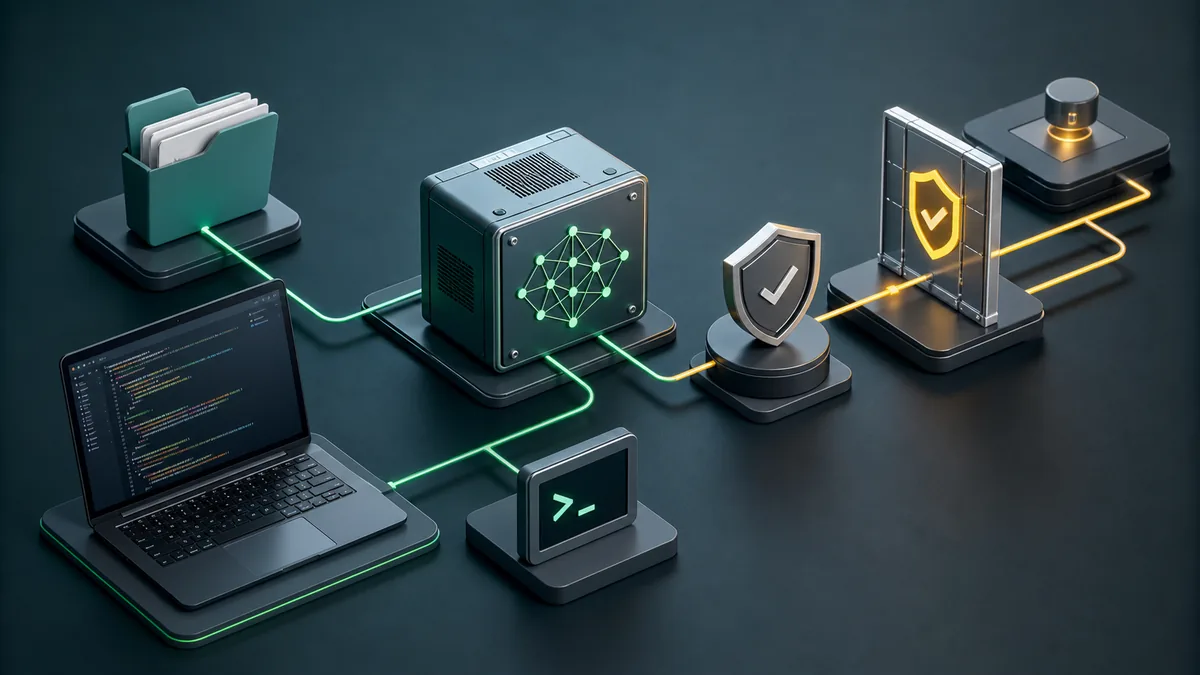
Trenne Lesen, Schreiben, Ausführen und Git. Lesen ist der erste Schritt; Schreiben und Befehle bleiben sichtbar und freigabepflichtig.
| Berechtigung | Starte mit | Später erlauben, wenn |
|---|---|---|
| Read repository | A small project folder without secrets. | You have a .gitignore, clean status, and clear context boundaries. |
| Write files | One scoped change at a time. | The agent can explain the patch and you can review the diff. |
| Run commands | Read-only checks or known test commands. | You understand the command and it stays inside the project. |
| Install packages | Avoid during first tests. | A dependency change is part of the task and lockfile changes are reviewed. |
| Commit and push | Manual only. | Validation passed and the diff contains only intended files. |
Ein täglicher Workflow, der den Agenten nützlich hält
Der beste Ablauf ist klein und wiederholbar: Ziel, Inspektion, Plan, begrenzte Änderung, Prüfung und Diff-Review.
Nutze Odysseus AI für Kontext, Notizen und Modellrouting; führe Befehle nur über eine kontrollierte Ausführungsschicht aus.
-
State the change boundary
Name the feature, bug, or file area. Avoid broad prompts like 'clean up the repo' until the agent has proven itself.
-
Let the agent inspect before editing
Ask for existing patterns, routes, tests, and build commands. Good coding assistance starts with context.
-
Approve a narrow edit
Small patches are easier to review and revert. Keep unrelated refactors out of the first pass.
-
Run targeted checks
Use the project's real build, tests, linters, or browser checks. Do not accept a patch that was never exercised.
-
Review Git status before publishing
Generated files, caches, profiles, and build artifacts need explicit handling. Commit only what belongs to the task.
Häufige Fehler mit lokalen KI-Code-Agenten
Die meisten Fehler entstehen durch zu viel Zugriff zu früh. Ein Agent ist sicherer in einem bekannten Projekt mit bekannten Befehlen und sichtbaren Diffs.
| Fehler | Warum es schadet | Bessere Lösung |
|---|---|---|
| Mounting the whole home folder | The agent can read unrelated files and secrets. | Open only the target workspace. |
| Skipping baseline tests | You cannot tell whether the agent broke something or inherited a failing project. | Run the project's normal checks before edits. |
| Letting the model choose commands blindly | Package installs, migrations, or cleanup commands may have side effects. | Approve each command and keep it project-scoped. |
| Committing generated clutter | Caches and profiles pollute source history and CI. | Inspect git status and ignore temporary validation artifacts. |
| Confusing model quality with workflow safety | A smart model can still act on bad permissions. | Keep approval gates even when the model is strong. |
FAQ zum lokalen KI-Coding-Agent
Sources and official docs
- Official Odysseus AI GitHub repository - Primary source for current project files, setup notes, and workspace positioning.
- Ollama API documentation - Reference for local model server endpoints used by many self-hosted workflows.
- Git documentation - Reference for repository, diff, commit, and status behavior in coding workflows.
- OpenAI Model Context Protocol overview - Useful background for tool/context boundaries in agentic workflows.
Verwandte Odysseus-AI-Leitfäden
- Lokales Coding-Modell für 16 GB RAM - Wähle 7B oder 14B mit realistischem Speicher- und Kontextbudget.
- Cursor Ollama Coding Agent - Nutze diesen fokussierten Guide, wenn dein lokaler Coding-Workflow in Cursor oder VS Code mit Ollama beginnt.
- Local AI agent dashboard - Choose the workspace layer before building a coding workflow.
- Odysseus AI Ollama setup - Connect Odysseus AI to a local model endpoint without localhost confusion.
- Odysseus AI Docker setup - Use Docker Compose, volumes, ports, and safe local defaults.
- Odysseus AI Windows setup - Handle WSL2, Docker Desktop, firewall prompts, and local endpoints on Windows.
Zuletzt aktualisiert: 4. Juli 2026
Zurück zum Odysseus AI Wiki